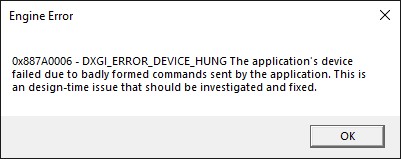
DXGI ERROR DEVICE HUNG - AMD Radeon RX 5600 XT
I've seen other posts for the same issue, but none have helped fix this.
I tried changing driver to older version or latest, tried few other tweaks people mentioned around. Error persists.
Sometimes happens as soon as main menu is up, sometimes after few minutes of starting, sometimes during a match.
This error started showing up after season 12 was released.
Haven't seen any official statement about this crash, even though it seems number of players that have this error/crash is not small.
@EA_Kent i think i've resolved the issue.
I've noticed that when the crash occurs GPU load goes to 100% and GPU clock jumps up too 2000+ MHz.
I tweaked around with GPU power and clock settings, and raised max voltage a bit. Was around 950 i think, i bumped it up to 1020 mV, and frequency from 1750 to 1820 MHz.
Allowed fans to spin faster to be able to cool the extra heat coming from extra voltage.
And the crashes stopped. At least no crashes happened during around 1h play i did. Considering that crash would happen in matter of minutes i think 1h is considerably longer.
Not sure if something happened with my GPU, or the game started requiring more power from GPU, but this definitely affected the crash.
I'll post an update after couple of days when i manage to play longer (few hours daily), if the crash happened again or not.