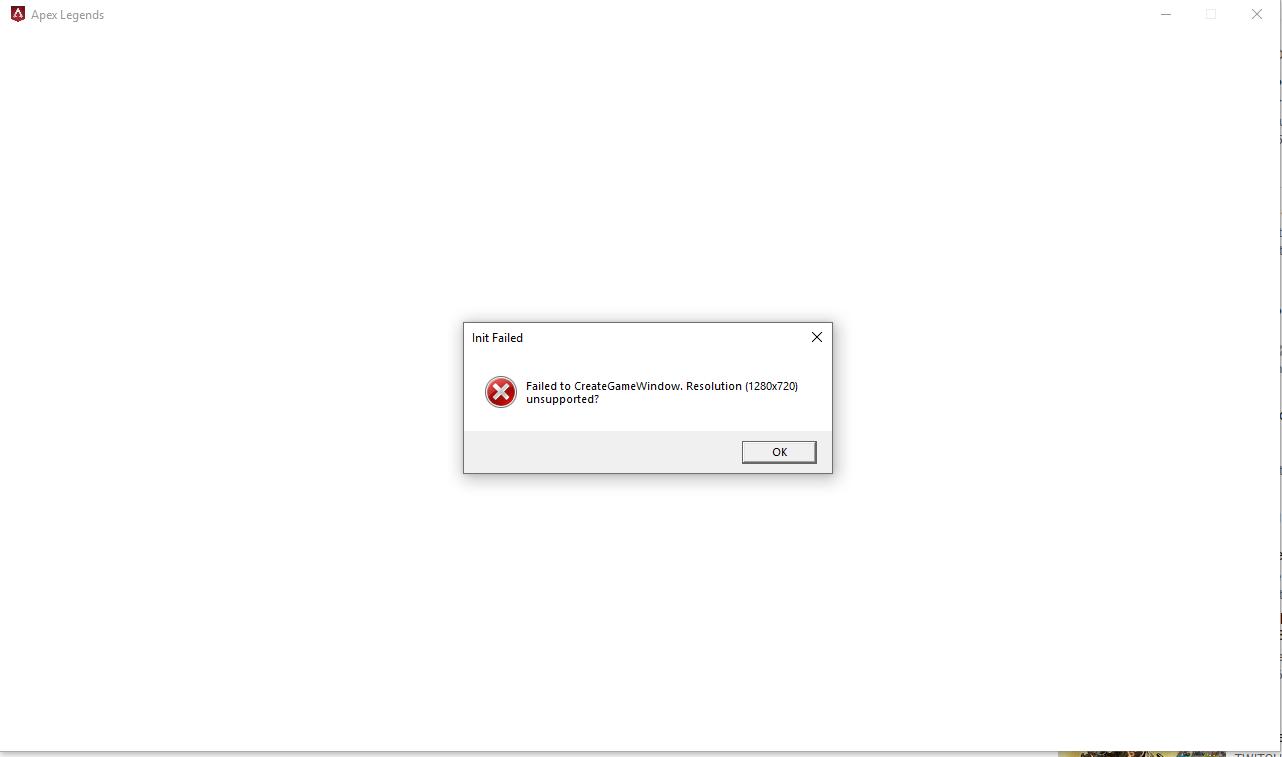
Forum Discussion


KeepingltHalal
7 years agoNot applicable
SOLVED:
In addition to what I tried earlier. I also tried this.
What you need to do is find the two lines; (C:\Users\"username"\Documents\Respawn\Apex\local)
"setting.fullscreen" "1"
"setting.nowindowborder" "0"
This is telling the game to launch in fullscreen mode, all you need to do is change them to;
"setting.fullscreen" "0"
"setting.nowindowborder" "1"
 GEFOX337 years agoNot applicable
could you say specificly which file was this to find it ?
 Fluffmania7 years agoNot applicable@GEFOX33
You have to find the file called "videoconfig.txt"
Can be found at:
C:\Users\"Your PC name"\Saved Games\Respawn\Apex\local
Then right click on "videoconfig" and open with Notepad.
Change the value of "setting.fullscreen" "1" to "setting.fullscreen" "0" and "setting.nowindowborder" "0" to "setting.nowindowborder" "1".
Hope it helps! Vynemaeda7 years agoNot applicable
I don't want to play the game in a window, is there any way to fix this while being able to play full screen?
 SkyliftPrime6 years agoNot applicable
Respawn/Apex/Local/Videoconfig
 Elegois112y6 years agoNot applicable
no me aparece respawm
 VAXRedmon6 years agoNot applicable
This worked perfectly along with changing the default setting for the resolution to my max settings for the monitor. Thanks!!
- SkyliftPrime6 years agoNot applicable@KeepingltHalal Thanks! This really helped
 dvsnwanda3 years agoNot applicable
Any up to date fixes for this, as nothing works?
Featured Places