Forum Discussion


7 years ago
A virus would be an easier diagnosis to fix than a coding issue with the game tbh.

7 years ago
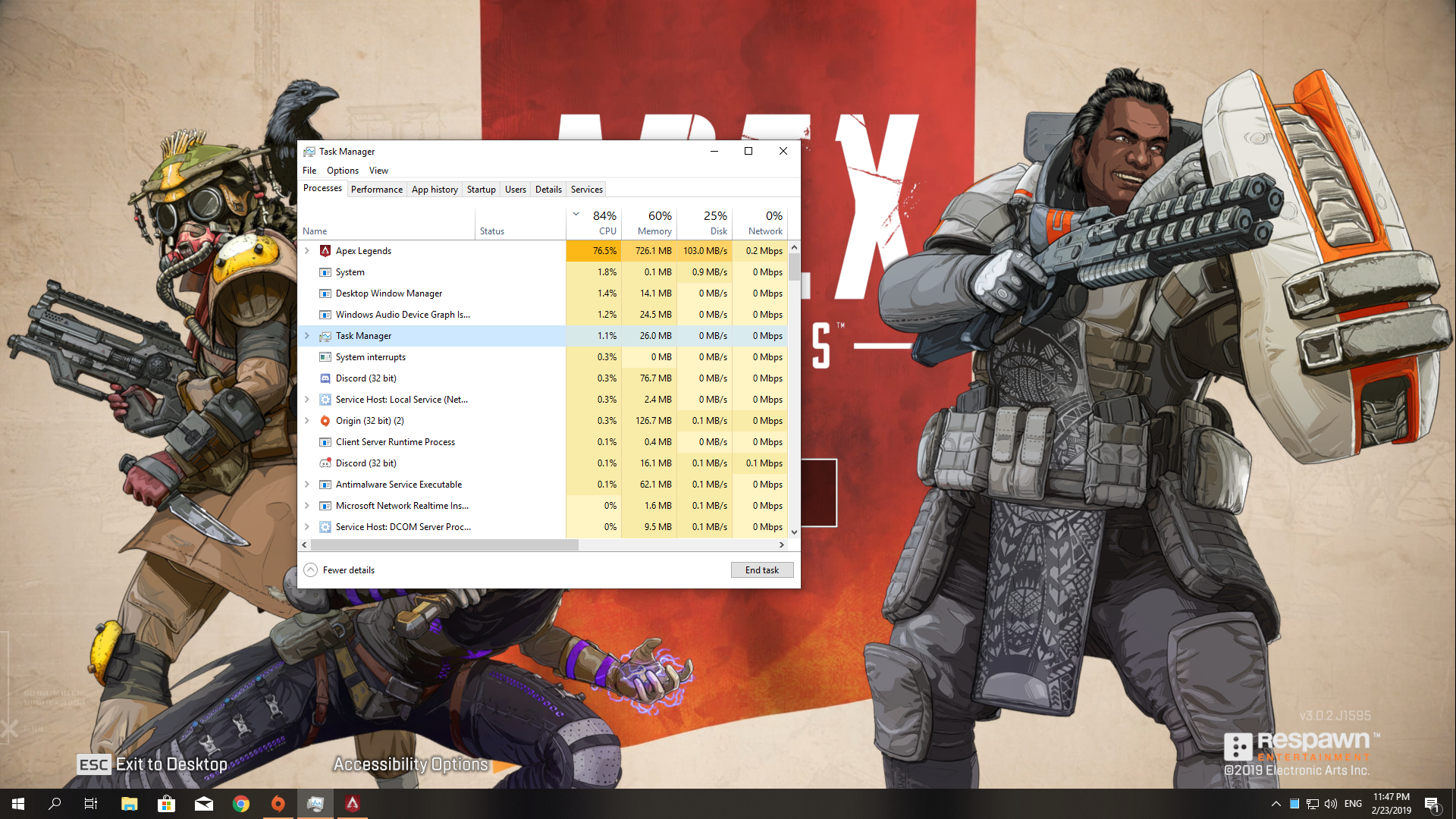
Here's the screenshot:
 Zeelmaekers7 years agoHero+
Try to lower Dynamic Spot Shadow, ragdolls, effect details.
i don't know if you already tried this.
- 7 years ago
Alright before you reduce effects like zeelmaekers suggested lets offload some of the work to the GPU.
Open Nvidia control panel and go here:

Set the processor to your gtx 970.
Go here:

and set the ambient occulation like so.
Then go here: (if you cant find the Apex legends in the drop menu, click the Add button to add it to your settings

Turn off threaded optimisation and just below is triple buffering disable this also.
apply everything and jump back into game to see the difference.
 7 years ago
I turn off Vsync, blah blah ... and here ...
When I start game, my CPU is up to 8-9x%....
 7 years ago
Did this ever get resolved? Suffering from the same issue.
- 7 years ago
@ZaddyIssues wrote:Did this ever get resolved? Suffering from the same issue.
Technically it's not solved yet. I tried everything listed in this post and I have also updated my drives recently.
I just haven't had any crashes lately. One more thing I tried which might have helped (somehow?) was the following:- Open the Origin Launcher
- Go to My Game Library
- Find Apex Legends and right-click the game
- Select Game Properties
- Click the Advanced Launch Options tab
- In Command line arguments type in +fps_max unlimited
- Click Save
- Done!
- 7 years ago
Hello!
I also had trouble with cpu hitting 95C. After system startup I had something like 20%-30% constant CPU usage and now it is more like 0-5% with few 9% peaks.
Now is a little bit better max 88 C but mostly 75-85 C.
My specs are
i5 4670k, 16gb ram, gtx1060 6gb. Most of the settings in game are low, or off. res is 1920x1080. I get 75+ fps while in transporter, but after I hit ground is more like 90-140 fps.
Simply go to windows taks manager and disable all unwanted aps while gaming in startup tab. Second disable all unwanted services that are singed by other than Microsoft. I had few app services that were opening at startup like adobe update, apple updater, autocad updater, spotify etc. after switching them off now CPU uses mostly 80-90% sometimes hitting 100% and after that my game is not switchin off by itself. Also I setup a custom fan curve on cpu and gpu.
Hope it helps for you aswell.
Featured Places

Apex Legends Technical Issues
Having issues with Apex Legends? Join here to find help with connectivity, performance issues, crashes and more.Latest Activity: 11 minutes agoCommunity Highlights
- EA_Blueberry7 years ago
Community Manager