Solved
"+miles_channels 2" doesn't work, stereo and suround issues - Season 15


So I had the problem as well BUT I found a fix for me at least, which changes the channel but on ur headphones.
To do this you have to go to windows sound settings "System > Sound", then down at the bottom "More sound settings", then double click the headphones you are using.
Now go to "advanced", then at the bottom it should say "enable audio enhancements", turn that "off" and apply.

I set +miles_channels 3 and it went Stereo. Testing ingame now.

Does it show Headphones/Stereo ingame under Audio, last setting?

@v_Porto_vMerci !!!! Ca marche, ça affiche bien Casque/Stéréo mais le son est parfois lointain... Comme quand c'est en 7.1...


How do you do that
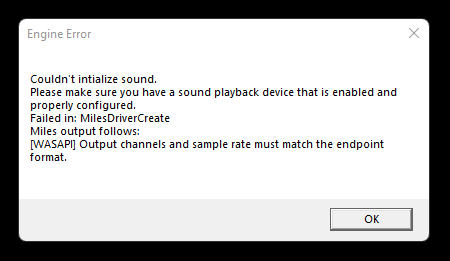
mine looks like this and i dont know what to do
Couldn't Initialise sound.
Please make sure that you have a sound playback device that is enabled and properly configured.
Failed in: MilesDriverCreate
Miles output follows:
Couldnt create XAudio2.
Please help

 Community Manager