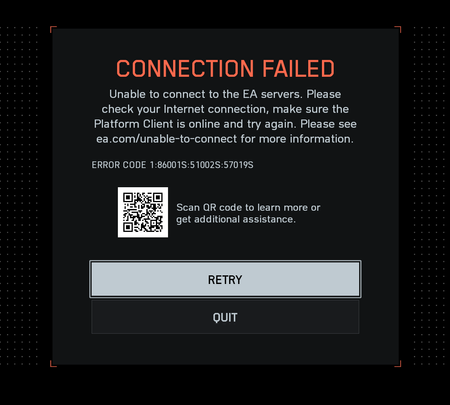
"Connection Failed" With Error Code 1:86001S:51002S:57019S


Hi,
I’m also experiencing the same issue — “Connection Failed” with error code:
1:8600:15:5100:2S:57019S
after the game queues for a few seconds.
My system is fully compatible and meets all security requirements:
– Windows 11 Pro (Build 26100.689)
– Secure Boot: ON
– TPM 2.0: Enabled (PTT mode)
– UEFI boot
– Intel Core i7-13700K
– Gigabyte B660M DS3H AX DDR4 motherboard
– EA App (latest version)
EA AntiCheat is installed correctly and runs fine with --run-as-service (exit code 0).
However, the Windows service EAAntiCheatService fails to start through Service Control Manager with error 193.
I’ve already tried:
– reinstalling Battlefield 2042 and EA App,
– clearing cache,
– resetting network stack,
– running both as administrator,
– testing with Cloudflare WARP and Proton VPN.
None of these helped — the issue persists exactly as described by others.
It seems that the Javelin AntiCheat authentication service is failing on EA’s backend, as all local checks pass successfully.