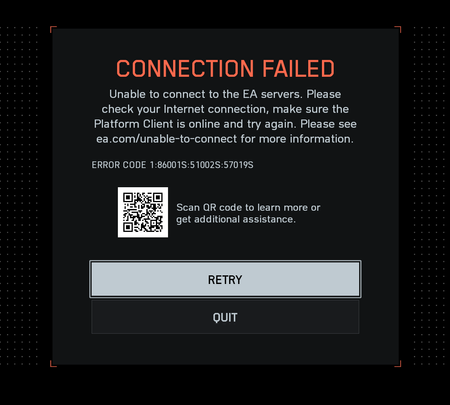
"Connection Failed" With Error Code 1:86001S:51002S:57019S


 Community Manager
Hey everyone!
Thanks for all your traceroute results and additional reports. I've passed those on to the team.
It looks like most of the different 1:86001S error codes are network, ISP, or system related.
We've just published a troubleshooting guide that might possibly help with your issues as well. Please give that a shot and let us know how you get on!

Hey folks,
I’m still getting error 1:86001S on PC and I’m out of ideas. We literally went through every single step from the official guide here in this thread — router setup, UPnP, ports, static IP, firewall, EA App cache, DNS reset, everything.
Important: I played the Battlefield 6 beta on the exact same setup and it worked flawlessly. So it feels like something changed on the live build / backend.
Here’s what we’ve already tried (so nobody repeats the same suggestions again 😅):
and also tested with ports removed + UPnP only
And yeah — still getting 1:86001S.
Since beta worked fine on the same system & network, I’m guessing this might be a server/backend issue introduced post-launch rather than user-side config.