Forum Discussion

EYEScore's avatar
5 months ago

Low FPS with configuration - Ryzen 9 7940HS + (eGPU) Radeon RX 9070 XT

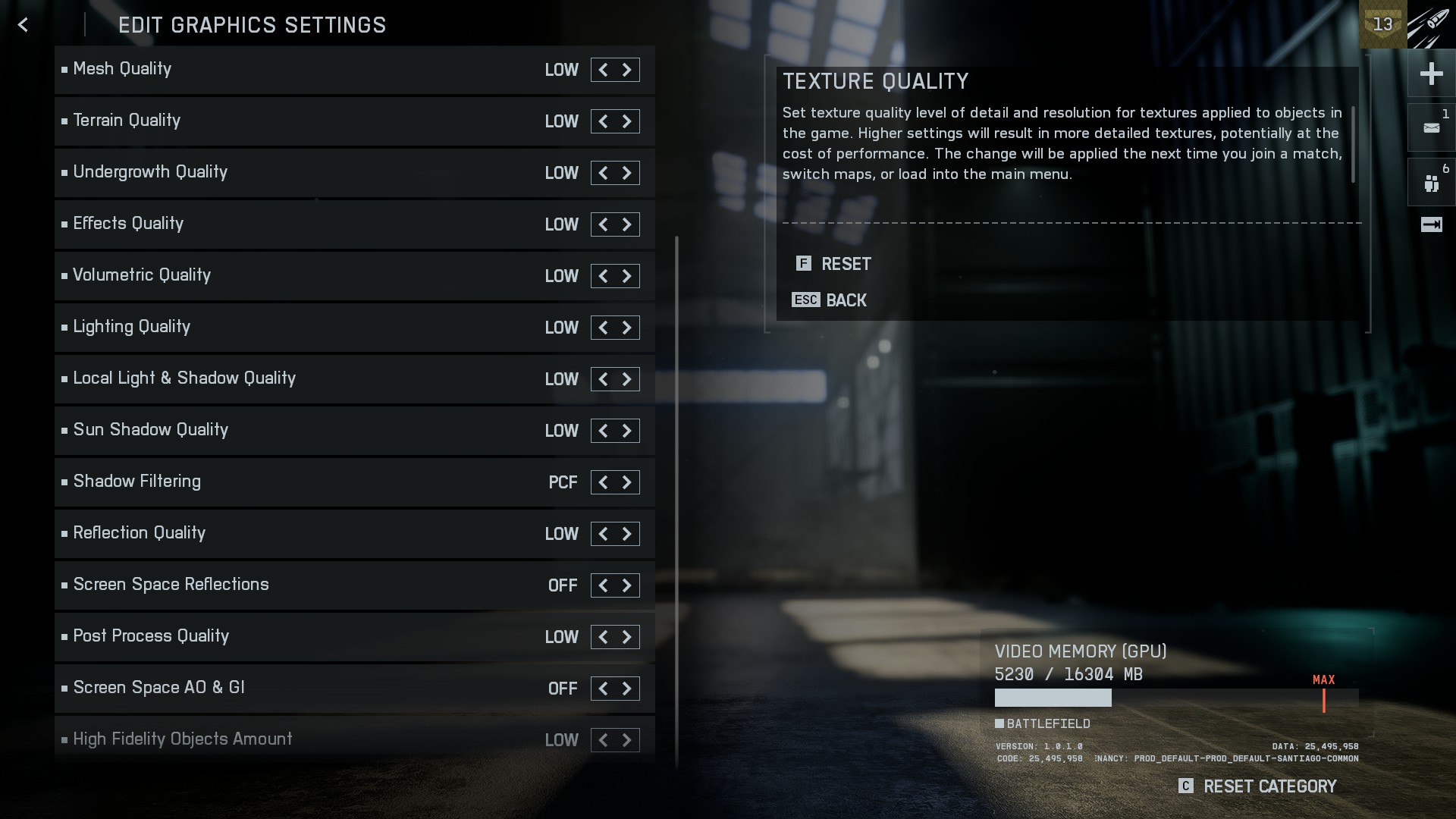
Unstable and low FPS (~40-60). In the beta version, FPS was more stable.
It got a little better after the REDSEC update - 70-80 FPS.
I updated the drivers (by deleting them in safe mode).
I installed latest AMD drivers (for Battlefield 6):
https://www.amd.com/en/resources/support-articles/release-notes/RN-RAD-WIN-25-10-1-BATTLEFIELD-6-PREVIEW.html
 
Windows 11 Pro (25H2 - 26200.6899) - Game mod on, 
AMD Adrenaline 2025.1009.0721.2068

CPU:
AMD Ryzen 9 7940HS & Radeon 780M Graphics 
Core: 8
Threads: 16
Virtualization: Enabled
 
RAM:
32 GB
Speed: 5600 MT/s
Used sockets: 2 out of 2
The form factor: SODIMM
Reserved by hardware: 8,2 GB
 
SSD:
KINGSTON 2 TB (SFYRD2000G)
 
eGPU:
GIGABYTE AMD Radeon 9070 XT GAMING OC [GV-R9070XTGAMING OC-16GD]
Driver version: 32.0.21025.25005
BIOS: 023.008.000.068
Date of development: 09.10.2025
DirectX version: 12 (FL 12.1)
Memory Chip Manufacturer: Samsung
Dedicated GPU memory: 16 GB
Shared GPU memory: 11,9 GB


8 Replies

  • FarystarLovesBF1's avatar
    FarystarLovesBF1
    New Veteran
    5 months ago

    Man you should be running over 100 FPS easly. My 3060 OC 12 GB gets me 80-100 fps on Mesh high textures high, animations on screen high, ground medium other stuff low.  And i have DLSS on performance + i play on upscaled 2880X1620.

    Most imporant, get afterburner and stabilize your voltage on certain clock speeds of your gpu an memory. Edit curve settings.

  • OskooI_007's avatar
    OskooI_007
    Legend
    5 months ago

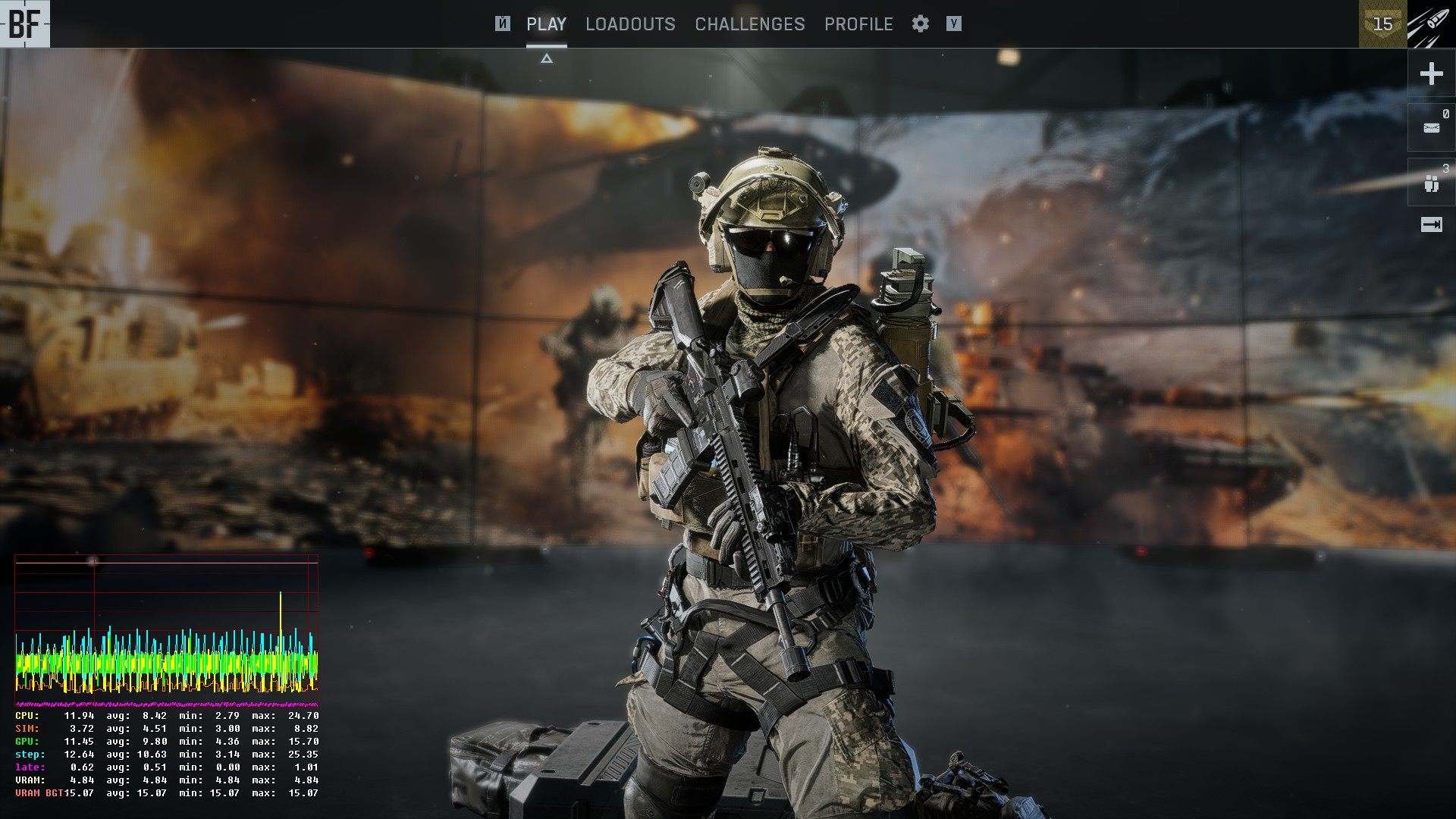
    EYEScore​ thank you for posting those screenshots.

    The yellow spiky CPU line indicates a CPU performance issue. I suspect the CPU might be hitting max temperature and thermal throttling the speed down.

    You can verify if this is happening by watching the CPU speed in Windows Task Manager while playing the game.

    • Run the game in windowed mode (alt + enter)
    • Open Task Manager (alt + ctrl + del)
    • Open the Performance tab, then right-click on the CPU graph and choose "Change graph to > Logical processors".
    • Set Task Manager to 'always on top' by clicking option
       
      Now you can play the game and monitor CPU speed.


    HWiNFO will display CPU temperature. Thermal throttling usually occurs around 80-90°C.

    https://www.hwinfo.com/

  • EYEScore's avatar
    EYEScore
    5 months ago

    Yes, I understand. And I can't find the reason for this behavior.

  • OskooI_007's avatar
    OskooI_007
    Legend
    5 months ago

    EYEScore​ thank you for posting those screenshots.

    This screenshot shows the maximum temperature the CPU can be at before it starts to thermal throttle and slow down. The temperature is highlighted in blue and called 'CPU Max Junction Temperature 92°C'.

    Is the CPU temperature staying below 92°C? Is the framerate over 60fps?

    It looks like the CPU might be hitting 92°C and causing the CPU to downclock. Which will cause framerate drops.

    Can you turn the CPU fan speed up higher?

  • OskooI_007's avatar
    OskooI_007
    Legend
    5 months ago

    EYEScore​ I think the green GPU line in the performance graph is indicating inconsistent GPU frametimes. In other words, I think the GPU is somehow causing the low framerate performance.

    The above screenshot is one you posted. Usually the green GPU line is below the yellow CPU line because the GPU is able to render frames faster than the CPU.

    The below screenshot isn't yours, but shows how the performance graph usually looks. Notice how the green GPU line is below the yellow CPU line.

    If the green GPU line goes up to the yellow CPU line, this indicated the GPU is maxing out. We see your GPU is maxing out in the first screenshot because it has an average render time of 20.26ms which calculates to 49fps.

    1000ms ÷ 20.26ms = 49fps

    I think we can safely say I was wrong in my initial assessment about the CPU being the performance issue, and instead you're having a GPU performance issue.

    I'm not sure what's causing the GPU performance issue, but we can concentrate our efforts on figuring it out.

    I'm wondering if it has something to do with the way the eGPU is connected to the laptop. What eGPU enclosure do you have? I'd like to learn about it.

Featured Places

Node avatar for Battlefield 6 Technical Issues

Battlefield 6 Technical Issues

Having issues with Battlefield 6? Join here to find help with connectivity, performance issues, crashes and more.Latest Activity: 6 hours ago
7,101 Posts