Forum Discussion

twinkkmaxxing's avatar
twinkkmaxxing
New Rookie
27 days ago

Javelin Anti-Cheat turning off my interface

Like the title says, the anti-cheat keeps detecting my audio interface as a cheat so it keeps causing it to bug out and eventually makes the audio stop working and messes with my microphone settings.

I'm using the Focusrite Scarlett 2i2 4th gen. If anyone can update the anti-cheat in any way to stop this from happening. It's been happening since the anti-cheat was updated for Battlefield 1. I have to relaunch my game because of this issue.

8 Replies

  • elderwarriors's avatar
    elderwarriors
    Seasoned Vanguard
    27 days ago

    Maybe turn off your boom box and try another that works with the game. I use external speakers thru the desktop.

  • twinkkmaxxing's avatar
    twinkkmaxxing
    New Rookie
    12 days ago

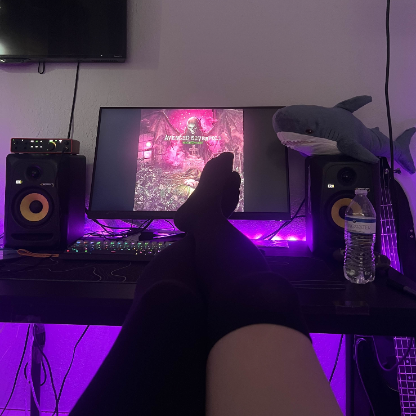
    I do not understand what you mean. I cannot use external speakers connected to my computer, I have 2 studio monitors on my desk, they don't use standard plugs like 3.5mm, they use XLR and 1/4" jacks.

  • twinkkmaxxing's avatar
    twinkkmaxxing
    New Rookie
    12 days ago

    Hello sorry for the late response, reinstalling the anti-cheat doesn't do anything. This is a common issue with Javelin. Any time that I play Battlefield 1 for 30 minutes or so my audio gets abruptly cut off and my game temporarily freezes and then comes back just with no audio. And I have to close the game and unplug and replug in my interface in order for my audio to come back.

  • danisoff's avatar
    danisoff
    Hero+
    12 days ago

    The only other thing that I can recommend is that you talk with EA support.

    EA Help

  • elderwarriors's avatar
    elderwarriors
    Seasoned Vanguard
    11 days ago

    I am assuming you are using external "studio" style speakers ? ........ try a pair of pc speakers connected to the video card in the PC. The drivers for your "sound system" may be the conflict that you are experiencing.

Recent Discussions