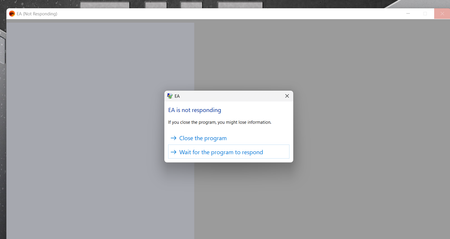
Today I went to play one of my games, and the app was closed, even though I always keep it open, but when I tapped it to open it wouldn't, its says " not responding " I tried to 3 times, then waited a bit, and it finally opened, but told me I had restart the app, saying it couldn't connect to the server, basically saying I have to be connected to the internet just to launch the app, so I can play the games I paid for.
But then when I again tried to relaunch it, it did the same thing, not responding, so I decided to check the forum to see if anyone else was having this issue, and then when I didn't see any, decided to post one myself. But while I was getting ready to, I saw that it appeared that the app had launched, but it was minimized, when I hovered my pointer over the app on the taskbar, it showed that the app was fully open, but when I tried to enlarge it, it wouldn't, so I had to close it again, and tried again to get it to launch normally, and made sure it wasn't minimized, and it finally once again, came to the whole thing about needing to restart the app.
Boy am I glad I haven't bought the new The Sims 4 pack, since I can't even play my game or any game period on the EA App. I swear I never had as much trouble with Origin, as I have had with your EA app. You need to fix it, but then you wont even fix the games really, at least not without breaking something else in them.
You know I have NEVER had a problem launching or using in any way, Steam's app, I just wish I had all my EA games over there instead of on your app.
 3 months ago