EA_Leeuw Community Manager
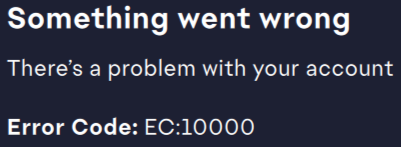
Community ManagerHow to fix Error Code EC:10000 or EC:10500 in EA app?
 Community Manager
Do you mean for me to try this that was suggested by a previous poster? or did you put something else?
 Community Manager
Hello @EA_Shepard,
No, it hasn't changed anything.
Community Manager@Redroguegambit Have you done any of the following yet? There is a permission that is either resetting or not saving when you go offline.
If you are running VPN, turn this off. If that does not connect, connect to a mobile hotspot if you can to establish a connect to the servers.
I tried the method you mentioned below and the problem is still the same.
The Clean Boot I followed all the instructions, plus the additional one where we renable everything again, since it did not work with just disabling everything. I did notice that the EA game (launcher?) from the boot menu on the task manager was disabled, so I enabled it, and the results were still the same.
Safe Mode with Networking didn't work either, I think it may be a computer thing since I couldnt even get onto a network.
As for Windows: I am trying the game on another computer but the same thing is happening (but with a different error, something about time change). I addressed that and so I am going to see if it still has any issues (or if the same issues with the main computer pops up).
I don't have a VPN.