Forum Discussion


2 years ago
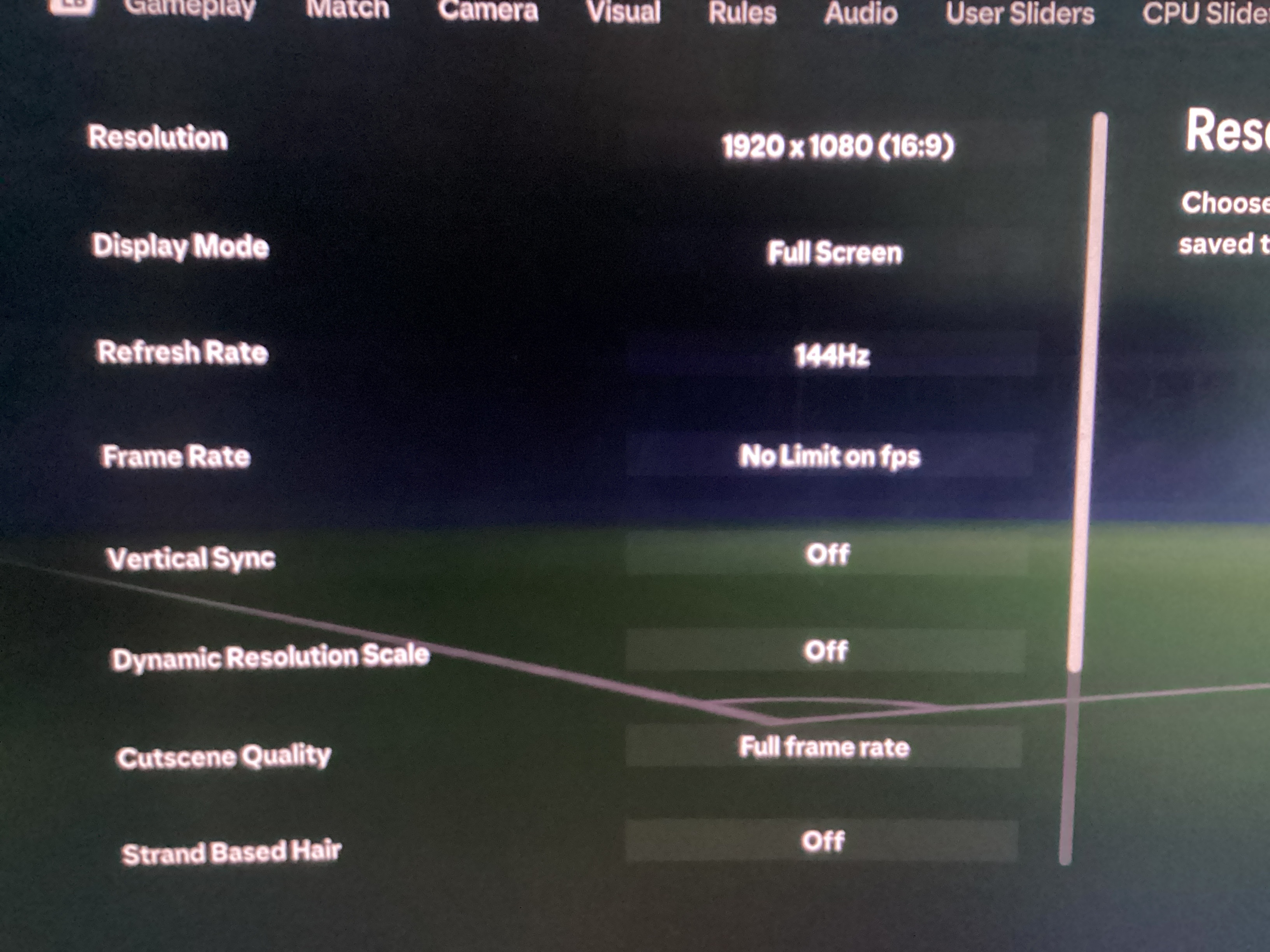
Possible fix guys. Has worked for me although still got input delay in corners and after a hyper motion(which I can turn off). Anyways, only thing I have changed is go to settings > game settings > Display configuration then a few settings has fixed it for me. Frame rate : No limit on fps. The big one is Vertical Sync : Off. I believe that’s the biggest changer. Next, Dynamic Resolution scale: off. Cutscene Quality: Full frame rate. Strand Based Hair: Off. Then the last three either on low - ultimate. For me all of them are on low because of my specs being pretty much the minimum. First game with these settings I didn’t have any of the slow mode which turned into input delay. If yk yk. Please other people try this just because it may be the fix we were all looking for. Again I still have input delay on corners but I can actually defend now! I really hope this fixes your issue and it’s the only thing I have changed since the last time I played.
Pictures of the settings I use. (That have fingers crossed fixed this issue.)

2 years ago
@r164vfnlmhr9 That helped a lot ty man, the input lag is still very much there but It's better now, still can't compete against other players in ut or clubs but can have fun at least
- 2 years ago
@4Drodi Your very welcome. Working for me now which is sweet. Still unfortunate that you can’t play online however I still hope you find a solution 🙂
 DragonRogue011 year agoNew Traveler
Do you notice good game play at the start of the game, then maybe if you score the first goal the controls sort of get out of wack?
Featured Places