Forum Discussion

Re: Steam users unable to create Spore account or redeem game on Origin

I purchased Spore, galactic, and cute pack through the recent Steam sale and I can't log in for online capabilities. Deleting login prefs file does not solve this issue. I have activated the login keys on the Origin client, and I have attempted to log in by launching the game from both Origin platform and also Steam but I still recieve the same error message that I attached below.

-Internet connection is fine
-Tried playing in multiple capability modes
-Turned off Firewall
-Reinstalling the game on both platforms

I also called EA, that was fun, they hung up on me three times in a row. I just want to get my old creations back and play online.

21 Replies

  • Kyle_Necrowolf's avatar
    Kyle_Necrowolf
    Seasoned Veteran
    4 years ago

    If you already have a Spore screen name, you can login with your EA?Origin email and password. You should not register a new account.

    If you have not created a Spore screen name inside the game, you should do this by registering when prompted in the game. There are three boxes, one for your existing EA/Origin email, one for password, and the third is where you enter a new screen name for Spore. This is not the same as your EA/Origin name. You must have the game listed in your Origin library before you will be able to submit this form.

    If you are unsure, try logging into Spore.com.
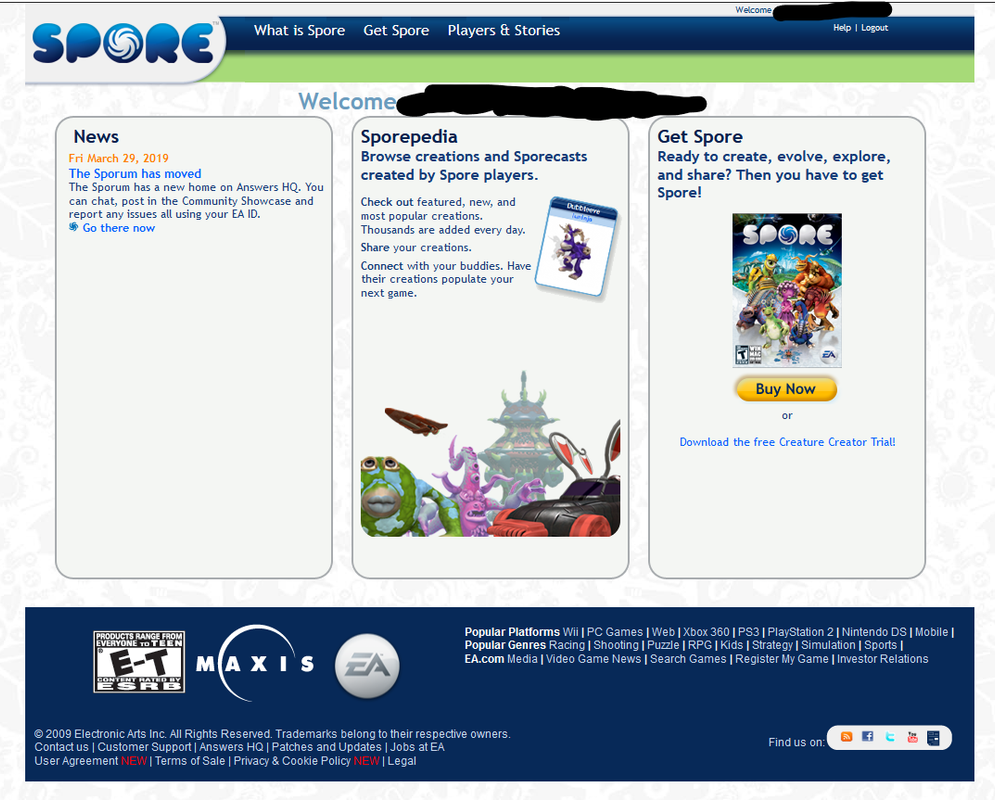
    If you get a screen that shows your email address at the top, then Spore has not been registered on that account, and you will need to register in-game (after ensuring that the game appears in your Origin library on that same account)
    If you don't see your email address, and instead see MySpore page, your account is all set up for Spore, and your screen name will appear at the top, along with the Spore games/expansions on your account.

    Make sure that you only have a single copy of the game installed. You must uninstall the Steam version (including expansions) before installing from Origin, if you choose to do this.

  • MeiOokami's avatar
    MeiOokami
    4 years ago

    Just got off with Origin help. Basically told me to link my steam to origin by playing apex legends... so downloading that 36GB game now...

    flash back to the sailor moon meme: "my work here is done" - "but you didn't do anything"

  • I bought Spore on Origin and I have the same problem. I already verified that the copy of steam is uninstalled, what can I do?

  • Kyle_Necrowolf's avatar
    Kyle_Necrowolf
    Seasoned Veteran
    4 years ago
    @elmasp0ronga If you purchased from Origin then you can go ahead and register a new Spore screen name inside the game. Look for the three boxes that ask for an email, password, and screen name. Enter the same email and password you use for Origin, and a new screen name that will be your public username for Spore.

    If you get a message like "Network play disabled" or something similar, type %APPDATA%\Spore into your computer's search (taskbar search bar on windows 10), open the Preferences folder, delete login.prop, and then try again.
  • elmasp0ronga's avatar
    elmasp0ronga
    4 years ago

    The email address and the password indicated do not have correspondence in our system, I have already verified and they are fine

  • @MeiOokamiSo... Did it work?

    @PS4SuperiorityWithout EA, probably Maxis would never have made Spore.

    But to stick with EA all these years... Is masochism.

    ---

    And I'd also like to ask you guys the odds of me being from another country (not US, any European country, AUS or Canada) trying to get the CD-Key, cause imagine an EA support that doesn't have the PERMISSION to solve stuff. That's my country's.

  • MeiOokami's avatar
    MeiOokami
    4 years ago

    @lucasdanger 

    Oh, absolutely not.

    They only wanted the accounts linked so when I got into another support chat they could verify the purchase with screen shots of my steam purchase history and give me the game on Origin. The tech also didn't know that the steam login and screen name can and should be different,  so spent most of the time explaining that. At least the DLC still comes with keys you can claim on Origin as well.

    TLDR: Steam version online features are still not working, but I now have it on Origin as well after a couple hours of tech support.

  • Cookieman92's avatar
    Cookieman92
    4 years ago

    Hello all.

    I brought Spore and Creepy and Cute, as well as Galactic Adventures on Steam previously, but I created a new Spore account using a new EA account with a new email.

    When I created the account, it shows me this page:

    I can understand that that account does not own a game of Spore, but there isn't a link to the Steam version, so am I supposed to re-purchase the game on Origin? I have a physical copy of the game as well, so if I were to buy the Origin version, am I supposed to transfer the product key from the physical version to the Origin version?

    I just want to make a new Spore account and start fresh and new again.

    Thanks.

  • MeiOokami's avatar
    MeiOokami
    4 years ago
    @Cookieman92 If you right click the game in steam there should be an option to view product keys for the DLC (might be in properties). You can use these to add them to your origin account here: https://www.origin.com/can/en-us/game-library

    For the base game you will need to contact tech support to transfer the purchase to origin after linking your steam and origin accounts and proving you bought it with screen shots. Only way to link them that worked for me was to download apex legends (free but takes forever to download) on steam and sign in there.
    Or
    You can get support to use the key from the physical copy to add it to your account if it is too old to work on the origin site like the DLC keys.
  • voidhomu's avatar
    voidhomu
    4 years ago

    I got support to add Spore to my Origin account after sending them my Steam receipt, but when I try to register my account I get "An unknown error occurred during registration. Please try again." Support hasn't been able to help me figure out that part and I'm running out of ideas. Has anyone else figured out how to get past the unknown error?

  • @voidhomu Literally going through the same issue. Bought through stream stumbled onto a steam guide and this page. Contacted EA, got them to add the game to my account. Added the packs to my EA account since tho still came with CD keys. Can't login to the servers at all.

    Tried installing orgin launcher, booting apex from steam and logging into my EA acc but that didn't seem to link anything.

    Tried uninstalling all versions of the game/packs from steam and launching via orgin, still can't login.
  • @MeiOokamiThank your for the support. However, I don't see a "View CD Key" option when I right click on the game in the steam library, including in properties. Also, when I redeem the CD key from the physical copy in Origin, it says "This code has already been redeemed".

  • Also, how do I contact EA's tech support? I went to https://help.ea.com/en/contact-us/ and searched for Spore and selected "Steam" as the platform, "Manage my Account" as the topic, "Transfer between accounts" as the issue, and when I click "Select contact option", it seems to load forever until refresh the page, and when I refresh the page, I get this page:

    Edit: It works now. I had to sign in to help.ea.com with my account.

  • xazkay's avatar
    xazkay
    4 years ago

    I bought spore from steam and i would like to login my ed acont in the game sever

  • Sorry, I've been feeling impatient, and I feel like I'm spamming you, but I feel like I want a video tutorial on how to create a new Spore account without purchasing a new copy of the game. These steps are confusing as heck about the linking of the Origin, EA, and Steam accounts. Do I log into Origin using my Steam account, my first EA account, or my second EA account? (the second EA account is the one with the email that brought me to the "welcome" screen on Spore.)

  • MeiOokami's avatar
    MeiOokami
    4 years ago

    @Galactic54 

    The CD keys are under manage section after right clicking on the game in your library list or on the right side of the game info page in steam.

    The way they say to link the accounts didn't work for me either. The Tech got me to download apex legends on steam and sign into the origin account I wanted to link in the game. I deleted the game right after.  

    The physical copy of spore I have had an "outdated" CD key and I got support to add it to my account manually. I guess they stopped tracking the physical keys or never did to begin with.

    rant: Why are they even still selling it on steam, It shouldn't take 3 hours of tech support to play a game you just bought. /rant

  • azurarts23's avatar
    azurarts23
    4 years ago

    I’ve been trying to play spore and gain access to the online features for a week. The EA advisors are no help, the steps they’ve sent through email doesn’t work either. I feel I’ve tried everything, but nothing seems to work. If anyone was able to play online, could you point me in the right direction!! Thank you!!!

  • @voidhomu I have the same exact problem. This is really annoying lol
    I tried everything at this point, but I can't log in at all.
  • azurarts23's avatar
    azurarts23
    4 years ago
    Update: I’ve reached out to EA about issuing me a new CD code for Spore base game and he told me they’re not able to do that. Then proceeds to hang up in my face and emails me those steps that I’ve tried countless times. I believe there is no way to truly register your account in Spore at this moment.
  • Cookieman92's avatar
    Cookieman92
    1 year ago

    Nevermind, ignore that. I do not want to make another Spore account and start fresh.