Forum Discussion

luvstoplayinwa's avatar
luvstoplayinwa
New Novice
2 months ago
Solved

Matching Moments loops

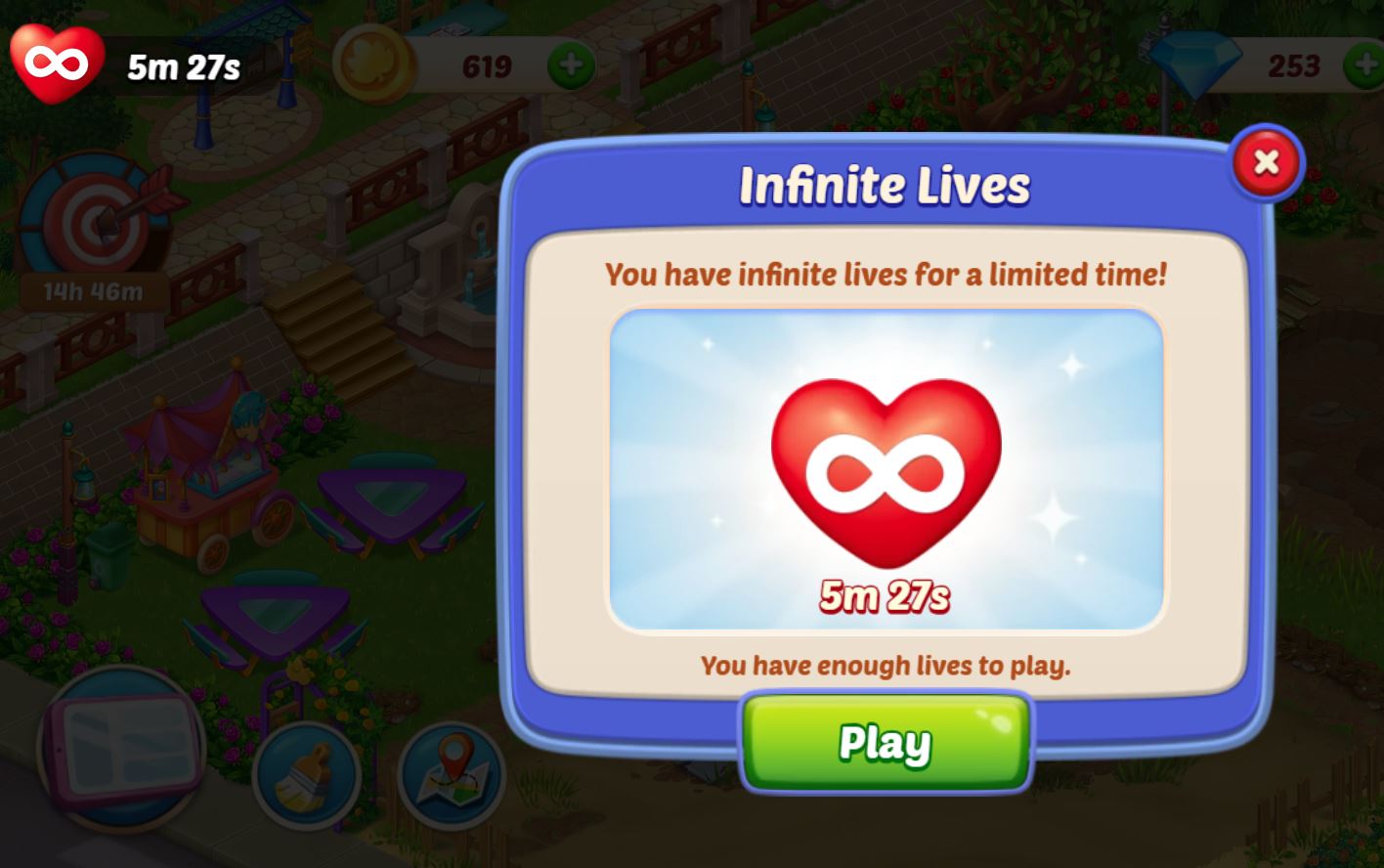
I have infinity lives for 20 minutes after a few losses it now loops me to infinity, choose a booster and then back to the infinity popup.  I can't play the game.  Its frustrating when you pay for a site and the games don't work.

  • EA_Lanna's avatar
    EA_Lanna
    2 months ago

    Hey waxmoondeb​

    Please take a moment to go through the troubleshooting steps I've provided below. They can help things sync back up and may rule out some potential causes:

    • Clear your Cache/Cookies  
    • Check your Device or updates, check for Browser Updates     
    • Test it out from a different browser. If you’re on Chrome, try Firefox instead (or vice versa). 
    • Unplug your router, let it sit for 2-3 minutes, then plug it back in. This rebooting helps clear the cache on the router.  


    If you continue experiencing this issue after trying those steps, please let me know what device you're using to play the game. It'd be great to know the web browser too, as well as your screen name, and any error messages you might be encountering.

    Thanks for your patience.

    - EA_Lanna

4 Replies

Replies have been turned off for this discussion
  • I have the same issues with Matching Moments..... I have Infinity Lives for 5 minutes, and IT WON'T LET ME PLAY! This happens EVERY time I am awarded Infinite Lives (see screen shot attached).  MANY GAMES seem to be having "Glitch" Issues.  Please help.  Waxmoon

  • EA_Lanna's avatar
    EA_Lanna
    Icon for Community Manager rankCommunity Manager
    2 months ago

    Hey waxmoondeb​

    Please take a moment to go through the troubleshooting steps I've provided below. They can help things sync back up and may rule out some potential causes:

    • Clear your Cache/Cookies  
    • Check your Device or updates, check for Browser Updates     
    • Test it out from a different browser. If you’re on Chrome, try Firefox instead (or vice versa). 
    • Unplug your router, let it sit for 2-3 minutes, then plug it back in. This rebooting helps clear the cache on the router.  


    If you continue experiencing this issue after trying those steps, please let me know what device you're using to play the game. It'd be great to know the web browser too, as well as your screen name, and any error messages you might be encountering.

    Thanks for your patience.

    - EA_Lanna

  • EA_Lanna's avatar
    EA_Lanna
    Icon for Community Manager rankCommunity Manager
    1 month ago

    It looks like things have gone quiet here, so I'll close this thread for now. I hope the advice shared was helpful and that your issue is resolved. If you run into this again or have new questions, please feel free to start a new thread.

Featured Places

Node avatar for Pogo Technical Issues & Bugs

Pogo Technical Issues & Bugs

Join the Pogo community to talk about game issues, browser and HTML5 troubleshooting, and report bugs in the games.Latest Activity: 9 minutes ago
5,285 Posts