[Current Issue] Sims 3 "serious error" when loading save
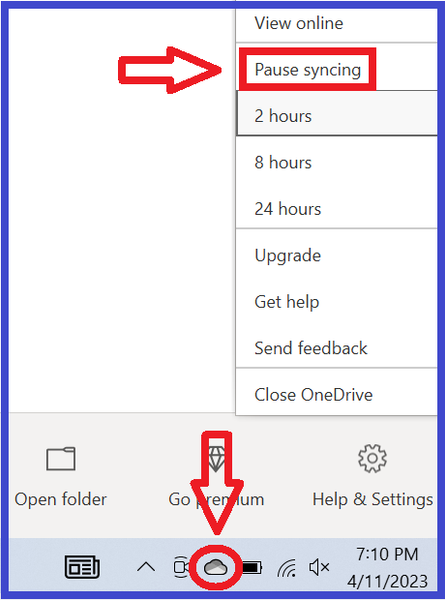

Hawkflight1066 Shutting down OneDrive isn't always sufficient to fix this error. You'd need to move your Documents directory out of the OneDrive folder, as described in the first post of the thread I linked above. The information is under the spoiler; start with the reg query command and go from there.

Basically I waited for about 4 hours or more for One Drive to upload everything it wanted to "back up", just to humour it. (I have a large game folder and only a medium speed internet so it took a while) So then I went to try to start the game. I had to "check" all the expansion packs as they had become "unchecked". Then I went to "downloads" on the launcher, being a bit suspicious. They were not showing on the launcher, as if I had none. Then I went to "installed content" Nada. So then I went to my EA Sims 3 folders on my laptop, in my documents folder and everything that I had installed there from my back up drive earlier today has vanished. It's not been simply "backed up". One Drive has actually emptied out all my EA folders from Saves to Cache, DC Cache, to downloads and removed the contents to One Drive. It has NOT made back ups, it has removed, taken away, made inaccessible the entire contents of my Sims folders including the Mods I had installed. Which it NEVER did when I was running Sims 3 through Origin, rather than EA. Something changed since I last played in January. One Drive has NEVER removed ANY EA files from my hard drive before, it simply creates back ups if I forget to turn it off. If I started using Steam instead of EA would that perhaps make a difference?




