Is my save corrupted? What do I do??
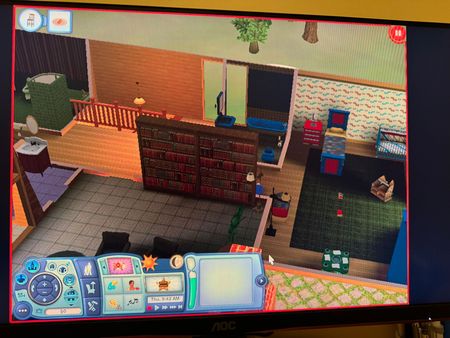

fruitteasosro Yes, this is a classic presentation of a corrupt save. Are you willing to add some mods to help? If so, let me know.
If not, the best you can do here is evict your sims in Edit Town and put them back in their house. They'll keep their jobs and relationships (as long as you don't save them and replace them with the saved copy) but lose their promised wishes and opportunities.
If that doesn't help, try it on the backup save. If you've created one or more yourself, try them, newest to oldest until you find a viable save. But even if you never created a backup, the game will have saved the data from the second-to-last time you saved your progress.
Open Documents > Electronic Arts > The Sims 3 > Saves, and you'll see a folder with your save name and another with the same name and a .backup extension. Rename the backup and remove the .backup extension, so the folder name ends in .sims3. This save will now be available to load at the Main Menu.
Please keep in mind that this save may be close to corrupt as well. I'd keep a spare copy around in case you need to revert to it again. If you load it and can play, use "save as" to rename the save, so the previous backup remains intact as it was when you recovered it.
Hey there!
Thanks for helping! Yes I’m ok with using mods. Which ones would help??