
Lots missing names and descriptions
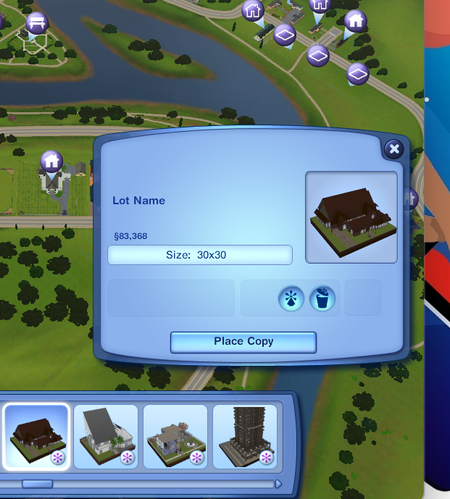
 2 months ago
Spycoo16 A DBPF file is a compressed file, a type Maxis developed and that's used in a few different games. Here's more info about the error itself:
https://sims3.crinrict.com/en/2011/01/custard-corrupt-not-a-dbpf-bad-download-bad-index.html
But you can see in your screenshot that the files have a .png extension, and these are the previews you see when viewing a download on the Exchange. Yours show for me when I view this particular upload, so the images aren't so corrupt as to be unusable. It's possible the download itself went wrong somewhere and that using a different browser would help. And it seems like the error message from CUSTARD is more of a generic these files are broken than a specific diagnosis.
Having said that, I think you're right that at this point, your best bet is to reupload with new descriptions (or a c/p of the existing description). It seems like that would be a lot faster than trying to fix the original issue, or frankly even identify it.



