Forum Discussion


7 years ago
@DonroaAkashu So far that has worked I have downloaded and installed all 5 worlds and going to turn the computer off for a while then back on and see if they are all still there as that was when they disappeared before hand when I turned it off

DonroaAkashu
7 years agoSeasoned Ace
@Annarata The reason why it is good to try in a new fresh Sims 3 folder is that if it then works, then there might be a problem with your old Sims 3 folder, and we'll know that. And if it doesn't work, then the problem is likely with Origin.
And the reason why it is good to try to download just one store item is that sometimes the installs doesn't work because there were too many items installed at once; and your error message did show a long list of unsuccessful installs, so maybe you tried to do just that.
The best way to download and install store items depends on how much you have, but the recommendation is to start with large items, like worlds, and only one by one. Then move on to venues, one by one; and last smaller items, not too many at a time. If you 'own the store', there is a complicated guide made by a player at the official forum here:
https://forums.thesims.com/en_US/discussion/866577/how-to-install-store-items
But I suggest you try what I said first, to try to locate where the issue is.
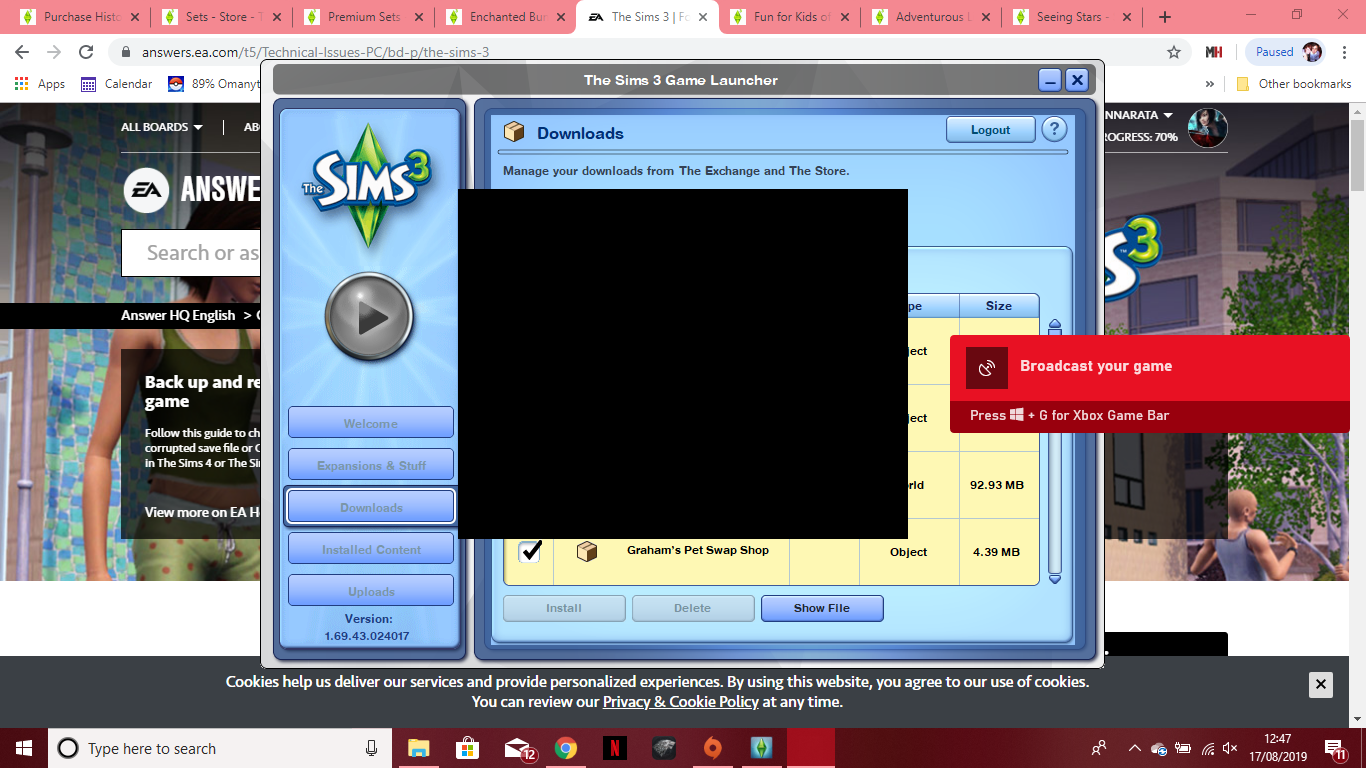
- 7 years ago@DonroaAkashu The long list was everything I had installed to that point. After I tried the suggestions form other threads I unistalled sims completely deleted all folders and the I start downloading and installing first worlds then lots, sets and individuals and do this in groups of 4 items at a time. The ones in the screenshot had all downloaded and installed correctly. Then when I turned the laptop on the next day that is when they had all uninstalled and came up with that error code. I tried what you suggested and it worked until I had just turned my computer back on and the same is happening all over again.
- 7 years ago@DonroaAkashu They all work one by one until I go off the computer which is what I don't understand I'm going to try getting in touch with EA about Origin too. Make sure that isn't the problem
- DonroaAkashu7 years agoSeasoned Ace
@Annarata Thank you. Here are some more things to try:
Disable OneDrive if you haven't already.
https://support.office.com/en-us/article/turn-off-disable-or-uninstall-onedrive-f32a17ce-3336-40fe-9c38-6efb09f944b0
EDIT: Create yet another new Sims 3 folder, install just one item to it. Check to see if it is installed in game, or in Main Menu if it is a world.
Restart your computer. Check to see if the item is installed or gone.
If it is gone: create yet another folder, install one store item to it.
Toggle the button Run without custom content found in the launcher>Installed Content tab and clearing Internet Explorer's cache, cookies and history: check it, clear IE cache; Go to Main Menu in game; exit game; uncheck the button, then clear IE cache again. Make sure you uncheck preserve favourite website data when clearing IE's cache.
https://kb.wisc.edu/page.php?id=15141
Restart the computer and see if the item is installed/gone.If it is gone reset IE and see if that makes a difference.
https://www.techsupportall.com/how-to-reset-internet-explorer/Sorry about the edits.
(Thanks to @puzzlezaddict )
- 7 years ago@DonroaAkashu Thank you I will try all of these too
Featured Places



.png)