Black Screen, Sims Still Active, Can't Close
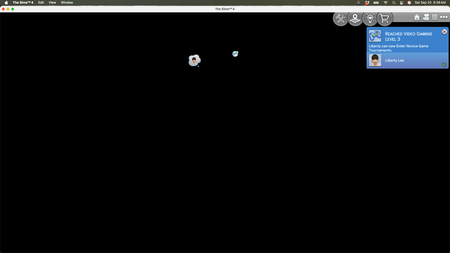

This was put in tech issues, I'm assuming because someone thinks it's my Mac...so help me understand how this wasn't a problem before the update and now is a problem.
I don't want my serial number revealed, so these are close up screenshots of my mac's specks, which if I'm reading the trouble-shooting right, should be well enough.
It said I need at least 4 GB, and I have 32. It's a newer computer, has tons of space left. So, what's the problem?

Firstly, can you try a brand new clean Sims 4 folder as described here [INSTRUCTIONS] How to troubleshoot and test a broken game | EA Forums - 11864548 and see if the issues persists. Also test in both fullscreen and windowed mode and see if happens in both.
WisdomBuilders wrote:Every time this happens I'm unable to close out my game or even shut it down from the main button at the bottom of my Mac.
Does Force Quit work? Apple > Force Quit.
Thanks for the screenshot. A Mac Pro is a different machine to a MacBook Pro, specs and OS always really help when troubleshooting.
Absolutely! I'll try all of these things, hopefully later today when my husband, who's more tech savvy can help me. Thank you for responding!! I truly appreciate it.
I'm a bit in panic mode, to be honest. Sims is very important to me, and if it's truly a Mac problem, I would have to settle on a lower screen resolution and not being able to buy any more additional packs. It might sound stupid to some, but these are the flower bouquets from my husband (I wasn't ever a flower bouquet kinda gal, so he bought me these instead and I collected/collect everything). I would be devastated if I couldn't buy another pack!
Thank you sincerely for trying to help! I'll let you know if it works.
PS. I know how to use force quit, but I couldn't do that either.
If it were truly a Mac issue then all Mac players with the same machine/OS as you would be experiencing it and we haven't seen any other reports here. Common issues on specific configurations can accumulate quickly, see this Catalina/NVIDIA issue as an example.
Maybe your Mac has an issue, although I doubt it as you're only experiencing issues in TS4 right?
If you can't Force Quit how have you been closing the game? By holding down the power button on your Mac until it shuts down?
Your Mac is more than capable of running the game. Hopefully the new clean TS4 folder will fix it.