Game crashing or not loading especially after updating? Post here.
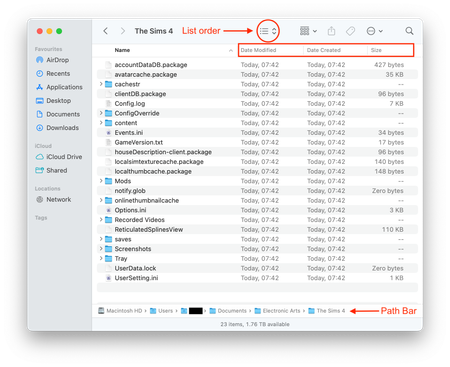


Bluebellflora I have, multiple times, it hasn't fixed the issue.
That isn't what your screenshot is showing. It shows files created at multiple different times on different days. If it happens every time you play I would expect to see all the files having the exact same date but with slightly different times for some of them. Start again with a clean folder and do not copy any of your existing data into the new folder the game has created. Start a new save and if the game is crashing/freezing make a note of what exactly you're doing in-game when this happens. After it happens once repeat the process with a new clean folder and new save, making a note of when it crashes/freezes. Do this 3 or 4 times then please post here what triggered the crashing/freezing. Maybe it is another app or process triggering it so pay attention to what else is running on your Mac when it happens.


