[CURRENT ISSUE] Sims 4 Unable to Start, Already Running
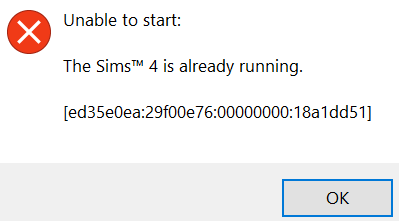


Hello, I had this problem just recently after I modified my computer's date once. My game will only run if I changed the date back to May 2024 and it's not just The Sims 4, but also all my other games in EA App. So I have tried multiple solutions in the main thread, but it won't work. Then, I found this other thread that told me to uninstall EA App and delete some of the folders in the AppData folder and after I followed through it, it finally worked! I just wanna share it here in case it may work for others with similar problems.
@asfalotBG wrote:This is what worked for me:
1) uninstall the EA App and restart PC
2) Delete these folders (AppData is a hidden folder)
C:\Users\YOUR_USERNAME\AppData\Local\Electronic Arts
C:\Users\YOUR_USERNAME\AppData\Local\EADesktop
C:\Users\YOUR_USERNAME\AppData\Local\Origin
3) Reinstall EA app and start it; If not all of your installed games are visible then restart the client - this should populate the list.
Enjoy gaming as usual 🙂

Wow, I haven't thought of that thank you! 🙂