[CURRENT ISSUE] Sims 4 Unable to Start, Already Running


I followed the exact steps on the link you sent for a clean boot, restarted my pc, the game finally booted but showed an error for the sims delivery (even when there isn't any new SDX drops), ignored it and tried to launch an existing save, and had the save error. I went back and re-enabled services that I know are safe, such as Steam and Battlenet services, restarted my PC, and found the same save errors in my Sims 4 game. I also tried to start a new save, but my game keeps crashing after I load into create-a-sim.
@tiffy_is_here For the SDX error, try this:
https://answers.ea.com/t5/PC/SDX-error-white-sim-portraits-corrupted-save-etc/m-p/13306292#M267022
If you still get crashing, please run a dxdiag and attach it to you reply.
https://help.ea.com/en-us/help/pc/how-to-gather-dxdiag-information/
There was a new sims 4 update today, on november 7th, so I updated and tried to open my game. I am getting the "Unable to start: Initialization error at startup. [135dec40:29f00e76:000000084:18a1dd51]" again. I tried opening it in a clean boot again and nothing worked, as I'm still getting the same error so I can't even try to get the game open to fix the SDX error. I attached my dxdiag file below.
@tiffy_is_here Try rolling back to a slightly older Nvidia graphics driver. You'll need to clean-uninstall the current driver, as described here:
To find an older driver, go here:
https://www.nvidia.com/en-us/drivers/
Enter GeForce, GTX 16 Series, 1660 Super, Windows 10, and rather than download the newest driver, click View More Versions and try a Game Ready Driver from May. You can update from there without clean-uninstalling your current driver, but the opposite is not true—to go backwards, you'd need to use DDU again.
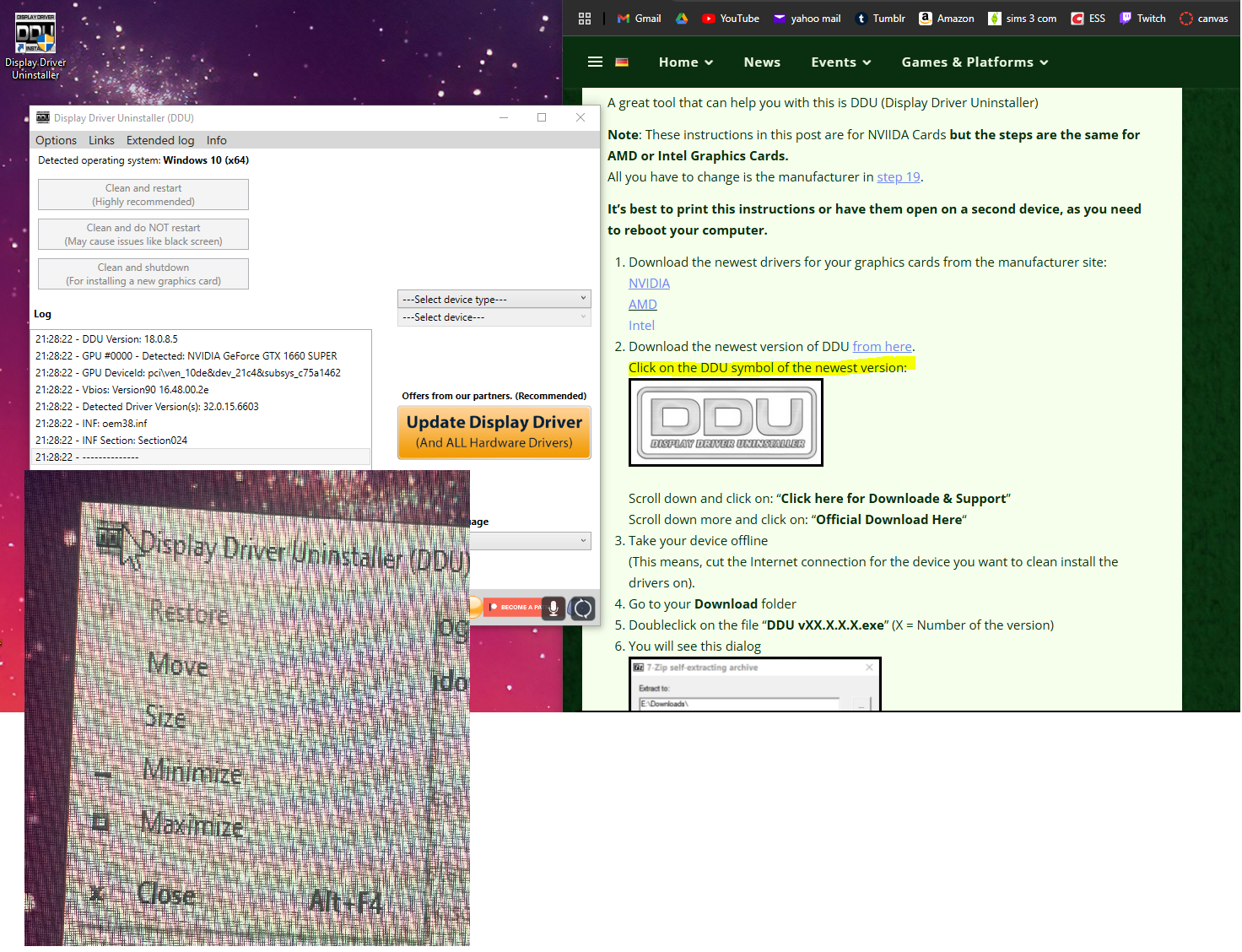
I'm trying to follow the steps to use the Display Driver Uninstaller, but I can't seem to find the "Click here for Download & Support" button. I followed the steps to download the latest version of DDU, and when I click the DDU symbol on the top left of the application, it only shows me "Minimize" "Maximize" and "Close" options. I sent a screenshot of it