[CURRENT ISSUE] Sims 4 Unable to Start, Initialization Error
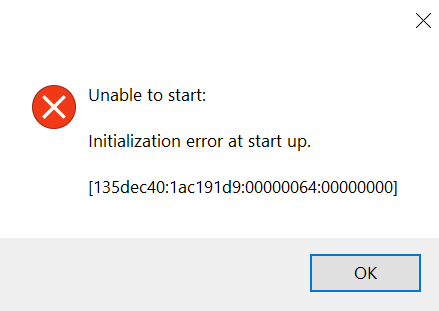


I try to launch Sims 4 today and it has error 135dec40:29f00e76:00000084:18a1dd51 when I launch.
I permitted it through Windows Defender, I made sure drivers were up to date, I cleared cache, I verified integrity of files via Steam, I uninstalled/reinstalled, I removed all mods, I restarted PC.
I'm out of ideas.
EricLane Please go through this list of suggestions for a related launch error:
[CURRENT ISSUE] Sims 4 already running | EA Forums - 11818313
and let me know whether any of them work. I'm curious as to why the initialization error is more common now, and any information would be helpful.
I disabled Windows Defender and Sims 4 launches. I'm not sure what the problem with Windows Defender is. I already made exceptions for the three Sims exe files and the bin folder, and eadesktop. Not sure how to make Sims work with Windows Defender active.
I used Grok for help. Turns out, shutting off "controlled folder access" fixed it. There is a function to allow recently blocked files, and I can see Sims 4 was a recent one. I allowed it there, and Sims 4 works now. This is why Far Cry 4 was also not working. Thanks.


