Forum Discussion

knov0iweco6z's avatar
knov0iweco6z
New Novice
11 months ago

For rent pack downloaded but content absent.

I'm having issues with the For Rent pack. In my EA app it shows up as downloaded, owned and appears in my manage add-ons section. When I open the game, I see the pack in my owned content. When I actually start the game however, the content doesn't exist. I don't have the world, the cas items, or any of the build items. I've tried almost everything including downloading and reinstalling both the Sims and the EA app. Neither of which solved my problem. I am also unable to find the file anywhere in my computer which might be a skill issue but I'm not sure. Is this just something that permanent or is there a way to solve this? PLEASE HELP!

9 Replies

  • knov0iweco6z​  Please run a(nother) search for the pack's folder.  Open a File Explorer window, click This PC in the left panel, and enter EP15 in the search field in the upper-right corner.  Wait for the search to finish, then make sure the full file path is showing under each result.  If it's not, expand the window sideways as necessary.  Take a screenshot using Windows key-shift-S and attach it to a reply here.

  • I found the file! But I'm still not sure why the content isn't loading in my game. 


  • Hello, a couple months ago For Rent stopped working on my computer. I tried everything down to deleting everything EA off my laptop and starting from scratch. Nothing helped. Until the big update a couple months ago where For Rent suddenly started working again. Now with this latest update (May 12th) it's stopped working again. I have no intent on deleting everything again, I'd rather just play without it. However, I've tried deleting the pack and re installing but that hasn't worked. I am just so curious why this keeps happening with big fixes, especially when it had been working for a month at one point and all of a sudden stopped with a new update. I haven't done anything new with CC, mods or other packs, the only change has been accepting the new update so I'm not sure why that stops it from loading. (The file shows up perfectly fine by the way, even appears in the sims as "owned and not downloaded")

  • puzzlezaddict's avatar
    puzzlezaddict
    Hero+
    21 days ago

    knov0iweco6z​  I've merged your new post with your previous thread.  Please run the search I originally described and post the results.  The result you posted previously was not what I needed to see.

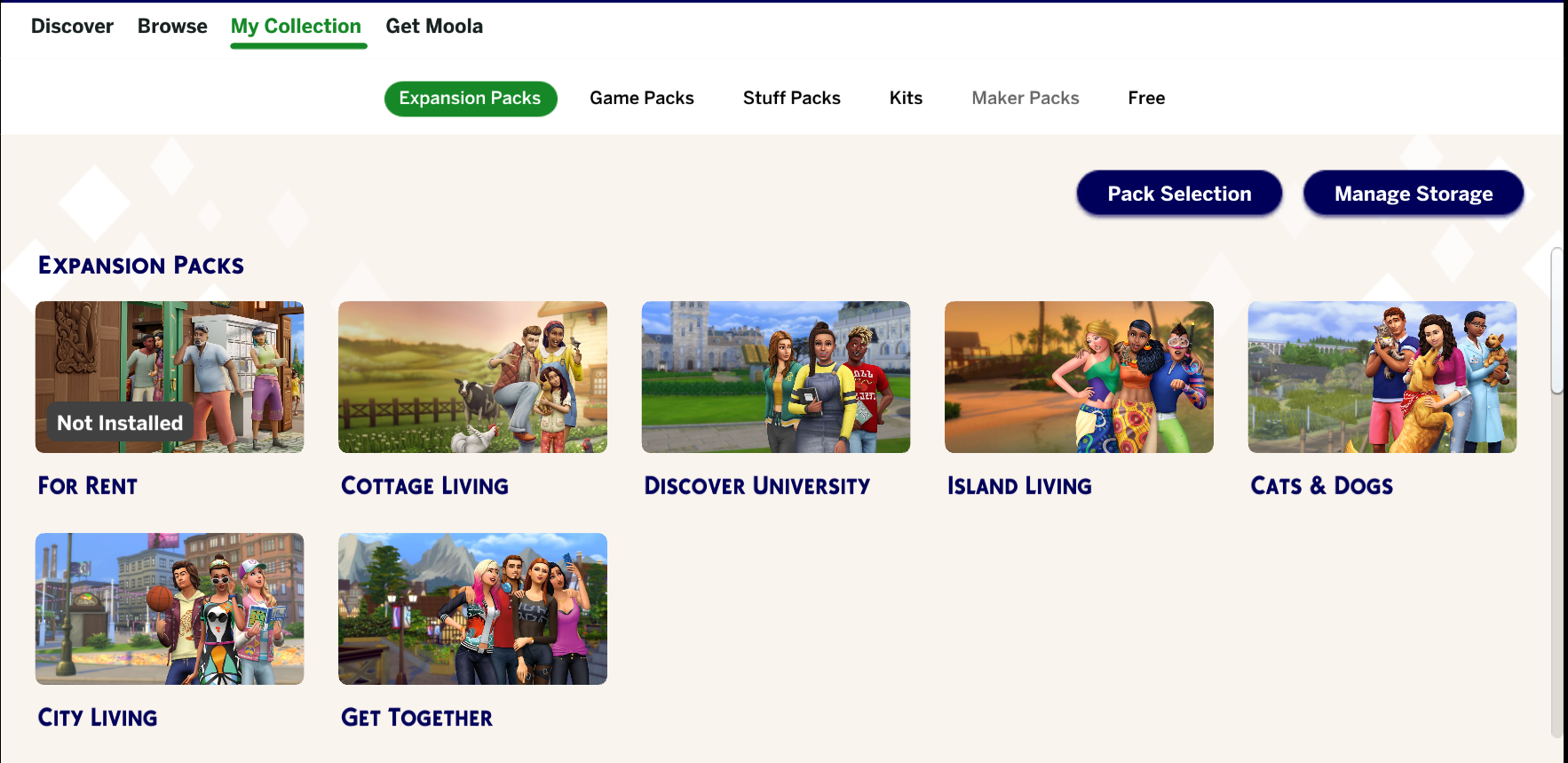
    Separately, when you say the pack appears as "owned and not downloaded," do you mean under Marketplace > My Collection?  If so, have you installed Sims 4 through the EA App, Steam, or both?  And if not, please clarify, and also let me know what you see in My Collection.

  • In my collection in the market place it shows up as the first screen shot, (this was both before AND after deleting and re-installing so the pack is showing up on my laptop) I got the sims through steam but buy all my packs trough the EA app. The file shows up normally among all my other packs (all of which work fine) and like I said it worked for about a month between updates only to break again with the most recent. The second screen shot is how it appears in the EA App after installing. The last screen shot is the actual pack file with all the others which are working fine.

  • knov0iweco6z​  Please delete the EP15 folder in your third screenshot and reinstall the pack.  (Don't use the Uninstall button in the EA App.)  When you go to delete the folder, make sure the EA App and Steam are closed and the EABackgroundService is NOT running in the Task Manager's background processes list.  And clear the EA App's cache (again) before reinstalling For Rent.

    https://help.ea.com/en-us/help/faq/clear-cache-to-fix-problems-with-your-games/

  • Hi, I found time to try again. Everything was closed in task manager, I cleared Cache and reinstalled, and the pack is still not appearing in my game. It is still showing in my Marketplace as not being installed.