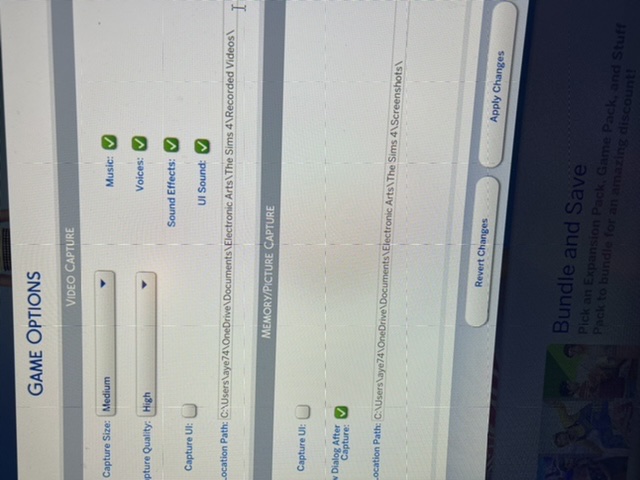
@lushifii You can try changing the location of the Documents directory, as described here:
https://www.tenforums.com/tutorials/74952-move-location-documents-folder-windows-10-a.html
You'd move it to Users > your username > Documents, with no OneDrive in the file path. Sometimes Sims 4 adjusts to this change, and sometimes it takes uninstalling and reinstalling the game to force it to switch locations.
Or, if you just want this fixed quickly, you could create a new admin Windows account. Make it a local account, as in, don't sign into Microsoft; without a link to your Microsoft or OneDrive account, the Documents folder will need to be in the default location. And Sims 4 should save to the correct folder as well.
You can transfer your saves and anything else you want to keep to the new account. If you open This PC > Users, you'll see a Public folder, which is accessible from any user account. Drop files you want to transfer into this folder, then grab them once you're in the new account.
I'm not saying you absolutely need to create a new Windows account, only that it's a quicker and more reliable fix than changing the location of Documents and hoping Sims 4 uses the new file path. But either approach is reasonable, so pick whichever one you prefer.