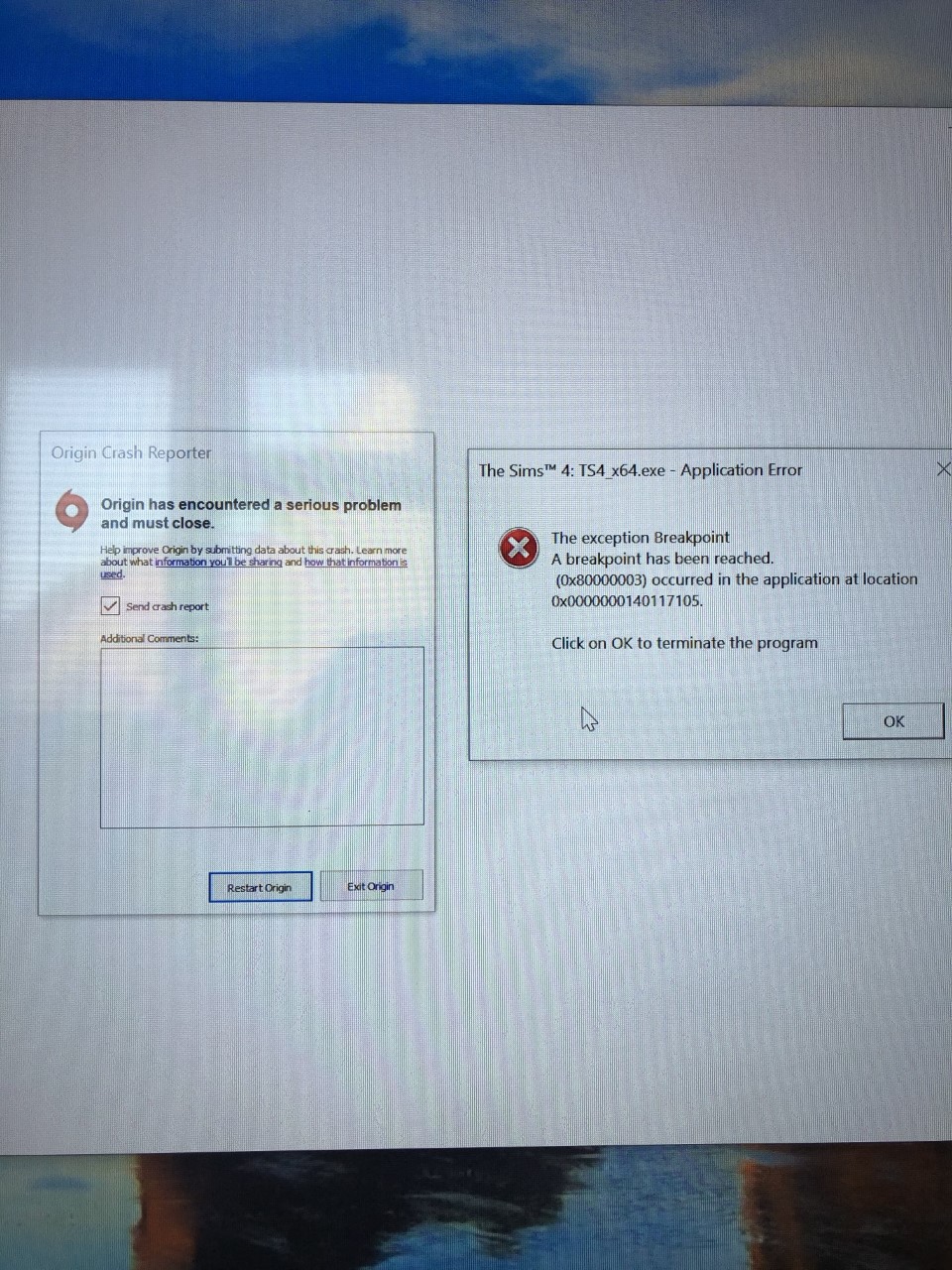
The sims4 application error TS4_x64 0x000000014011705
Hi
please can someone help!
I’ve been playing sims fine on the 19th I brought the patio set and the university pack and it played fine all day the following day being the 20th the game would freeze and crash on when loading the lot. I’ve done everything removed mods,done a cc check, uninstalled and reinstalled, removed cache from origin, changed computer settings. The computer I’m playing on is new and has loads of storage. I’ve tried to speak to EA support but their chat rooms aren’t great. I’ve attached the Dx.Daig.txt and a picture of the error messages
I have done everything on the forums and EA have advised and its still freezing and bringing the error message up or just shutting down.
Thank you
@Kara945 I don't recognize the specific error message you're seeing. But most of the errors in both dxdiags are likely related to a corrupt GPU driver. Since you already have the newest version, it's best to do a clean uninstall and reinstall.
Download Display Driver Uninstaller from here:
https://www.wagnardsoft.com/forums/viewtopic.php?f=5&t=3017
You can download the newest Titan driver here:
https://www.nvidia.com/Download/driverResults.aspx/159423/en-us
Next, take your computer completely offline—disable wifi and/or pull the ethernet cord—and double-click the DDU.exe. Take note of where the file will land, and click Extract. If it's easier, you can copy the path and then paste it into the address bar in a File Explorer window. Open the folder and then launch Display Driver Uninstaller.exe, and you'll get a message that you're not in Safe Mode. Click OK, then go to Options and enable Safe Mode dialog. Here's a screenshot of what your options should look like; make sure the box in red is checked:
Close options, and the DDU, and then open the DDU.exe again. For launch options, choose "Safe Mode (Recommended)," and then click Reboot to Safe Mode (you'll need your password, so find it before rebooting). Once you login, you'll see this:
In the blue box, choose GPU, then Nvidia if it's not already showing. Then click Clean and Restart (red box).
Once your computer has rebooted, now back in normal mode, run the driver install .exe in custom mode. Select "perform a clean installation" and install ONLY the GPU driver and the PHYSX software.
Reboot again, go back online, and see whether you can play Sims 4 normally. If not, let me know.