Ideas

Waryench's avatar
Waryench
New Spectator
1 month ago
Status:
Investigating

UI Overlap & Texture Issues on AMD GPUs

Hello,

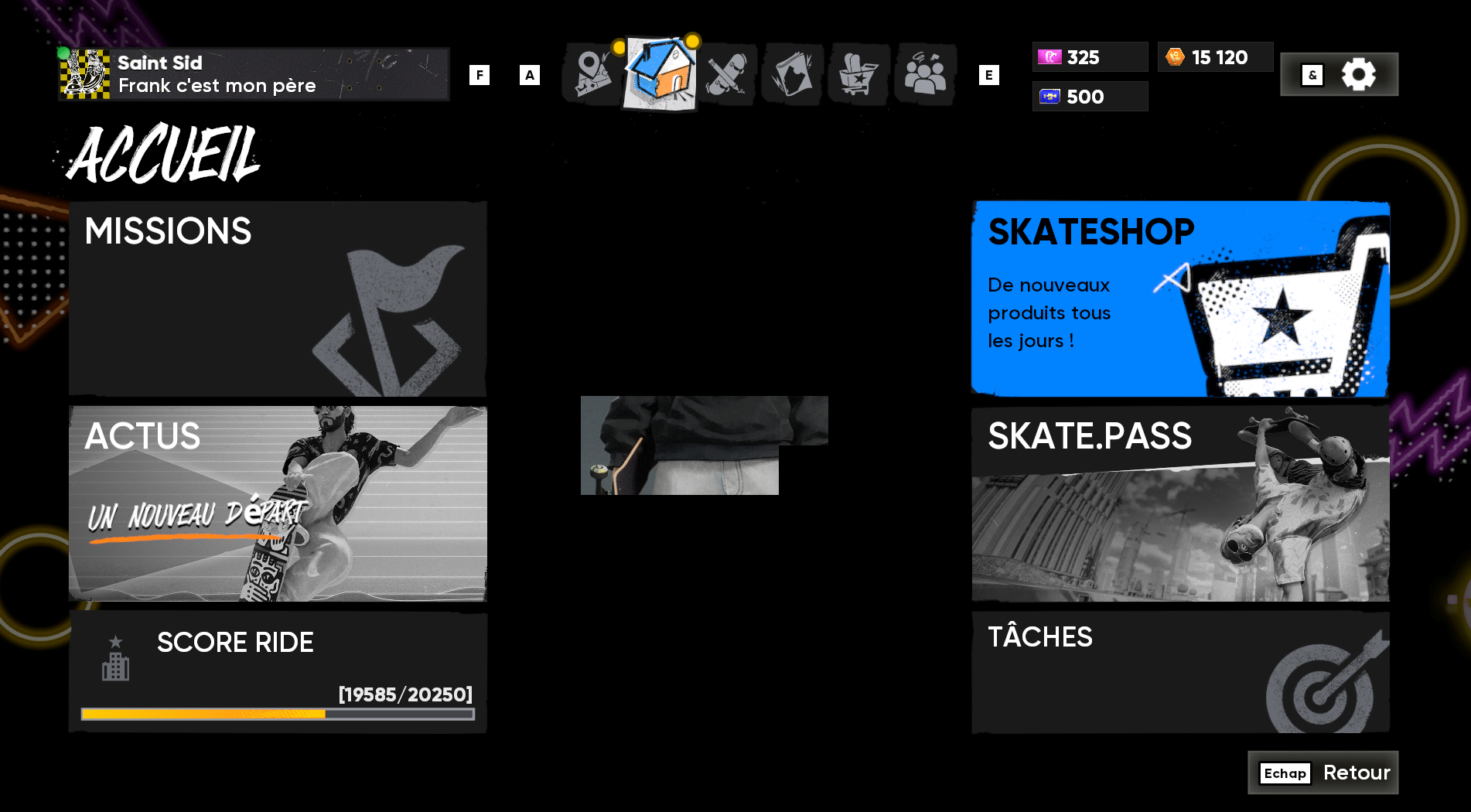
I have this weird texture when i enter the shop, and it goes everywhere in my game right after. I checked my GPU, everything's fine. Same for my monitor. I wonder if it's not a Skate. disfunctional thing. Can someone give me advice ?

Thanks in advance


CM EDIT: 
❗ Workaround: 

  1. Go to AMD's driver site and find your graphics card from the "Search or Browse Drivers" section
  2. Click on "Previous Versions" and download the one labeled "Adrenalin 25.12.1"
  3. Download and Run the AMD Cleanup Utility
  4. Reboot, and then run the Adrenalin 25.12.1 installer
  5. Reboot again and launch the game

25 Comments

  • RhmyYo's avatar
    RhmyYo
    New Spectator
    1 month ago

    I’m having the same problems. It just started out of nowhere. When I’m in the pause menu trying to navigate around to the shop or missions or anything really it’s all glitched and transparent. Really annoying EA please fix this. Thanks

  • I've started experiencing a bizarre bug where some layers of UI seem to be persisting as a transparency and causing other UI items to be hidden behind that transparency. In the game menus it often makes navigating difficult if not impossible and in game world it causes a lot of the UI to disappear. I've captured a couple of videos for it. I'm playing on Steam, Windows 10 (ESU), 9800X3D and a 9070XT with the latest drivers. Only thing I can think of is there was a recent AMD driver graphics card update that was installed a few days ago. I've verified the games file through Steam and the issue persists.

  • missMoshie's avatar
    missMoshie
    Seasoned Scout
    1 month ago

    My thread got merged in. This was caused by some incompatibility with AMD driver 26.1.1, using the AMD cleanup utility and reinstalling 25.12.1 fixed problems and restored stability.


  • Waryench's avatar
    Waryench
    New Spectator
    1 month ago

    Sure, here it is.

    I also have others screen captures to show the bug. 

    Thanks !