[CD] Option to 'lecture cat about jumping on counters' doesn’t show
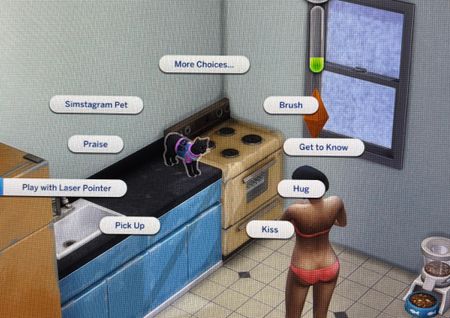


Try the following
- Close the game
- Rename Documents\Electronic Arts\The Sims 4 to Documents\Electronic Arts\The Sims 4_Old
- Repair the game
- Start the game. All your content will be gone now as the game created a new folder. All your saves/.. is still in the old folder so not to worry.
- Start a new save game
- Check if you still have the error
- Report back with your results for further steps on how to get your stuff back.
Sorry I’m a little confused on the part of renaming. Do u want me to find the sims 4 file going that route and changing the file name?
Rename the user folder
Here's pics: https://sims4.crinrict.com/eng/2014/09/resetting-the-game-to-factory-settings-without-reinstalling

 The Sims Team