
Just updated the sims 4 on my pc/laptop and now it’s displaying the controls on the left side. I have not messed with any settings at all, I even double checked to make sure I didn’t accidentally cha...
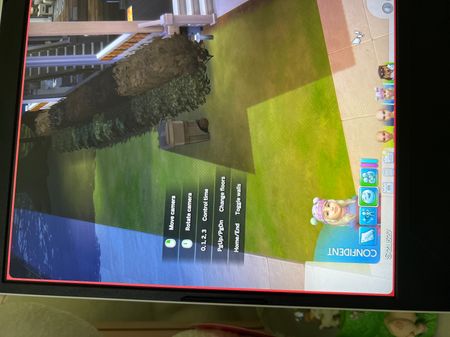

@ LexLuther8s had posted this 'fix' earlier in this discussion. I'm able to attest that it works for this new feature:
While in a game click the three dots in the top right. This should open up the menu window, select game options. In the game options window select Tutorial and Tips. Uncheck Enable Help Center Icon & Controls Legend. Click Apply Changes and exit out of the windows. That should make the control display disappear.

