
Just updated the sims 4 on my pc/laptop and now it’s displaying the controls on the left side. I have not messed with any settings at all, I even double checked to make sure I didn’t accidentally cha...
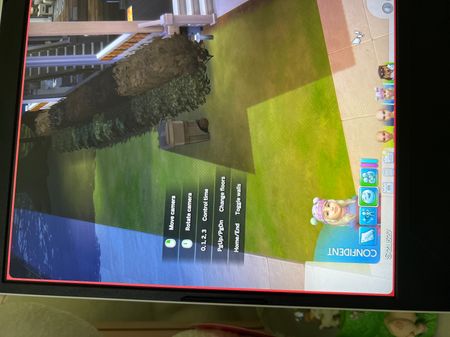

I can confirm the accepted solution does NOT work for either me on Xbox X or my wife on PS5. Whenever we turn off Enable Help Center Icon & Controls Legend. After restarting the game its exactly the same. Only way to get rid of it is to uncheck it everytime i start game. That got to be a bug.
This started in last update.

When I reposted the 'fix', referencing @ LexLuther8s's early post in this thread, I should have included that it was for PC and Mac. That you have to reset it every time you start the game on your console sounds more like something was overlooked, rather than an actual bug.

