Goals for the Painter: Work-Life Balance aspiration not completing
I am playing on a PC with only Life and Death and Get to Work installed (no cc). I am playing a character who works as a Detective. Aspirational goals that have to do with work are not being checked as completed, even though I've completed them in the game. For example, "Go to work" would not complete without using cheat codes, no matter if I went to work with the Sim or if I let the Sim go to work alone. The aspirations.complete_current_milestone usually works to fix the issue, but it is not working for the "Take a vacation day" goal.
Bug StrangerVille
Hi everyone, I’m experiencing several issues with the StrangerVille game pack, and I’m honestly getting really frustrated. I had to restart the storyline and create a second save because, in my first save, I couldn’t defeat the Mother Plant. The battle animation wouldn’t start at all. Nothing happened when I tried to trigger the fight, so I couldn’t progress any further. At first, I thought these issues might have been caused by my mods or custom content. So I decided to start a completely new save and test the game in vanilla mode, with no mods, no CC, and no custom content whatsoever, to see if that was the cause. Unfortunately, I’m now experiencing another issue: the Secret Lab basement is no longer displaying properly. I can only see the walls and foundations, but all the furniture, machines, equipment, and other objects are missing. Yesterday, the cheat secret_lab.reveal_all_sections worked perfectly and revealed all the different sections of the laboratory. However, today, it no longer works, even after enabling cheats with testingcheats true. I’ve also tried clicking on the security door to use my keycard again, but nothing happens. The game doesn’t even give me the option to use the keycard anymore. I’ve already repaired the game, cleared the cache, and tested a new save without any mods or CC, but the problems persist. What frustrates me the most is that I already had to restart the entire storyline once because of the Mother Plant bug. Now, while progressing through my second save, I’m stuck again because of another bug affecting the Secret Lab basement. I honestly don’t understand why these issues keep happening, especially when I’m testing the game without any mods or custom content. Has anyone else experienced these issues with the StrangerVille pack? Is there a solution to make the missing objects in the laboratory reappear so I can continue the storyline normally? I’d really appreciate any help. Thank you!SolvedSimfluencer raise cheats not working
Hi, I'm having issues with using cheats to give my adult simfluencer a raise. My sim is already at the maximum level for the carrier, so can only be given raises now. I've looked up the cheat on google, and none of the cheats seem to be working. Supposed to be for adults, does nothing careers.promote parttime_simsfluencersidehustle Supposed to be for teens, tried it anyways, did nothing careers.promote teen_simsfluencersidehustle Found this, did nothing careers.promote PartTime_Simfluencer Anyone know the actual cheat to give my adult simfluencer a raise?
debug plants arent showing up
Ive played for years and never had an issue with this until this week. I do the same cheats (testingcheats true, bb.showhiddenobjects, bb.showliveeditobjects). Ive tried both typing debug and doing a clear search and only a few debug things come up, but NONE of the landscaping; trees, bushes, flowers, etc. I have no clue where to go from here, I really only use the game as a building sim and unfortunately this is enough of a reason for me to uninstall. I have TOOL installed (which means unfortunately I have to have better build buy) but it is up to date. I have no CC installed. Ive tried repairing the game. Nothing fixes it. Any help would be appreciated.
Ghost XP Cheats Not Triggering Unlocks (Otherworldly Curse/Blessing Stuck)
I used cheat codes to max out my sims ghost abilities but for some reason I can't unlock Otherworldly Curse and Benevolent Blessing even after adding more ghost exp. Not sure what to do. Help would be great, please and thank you.Cannot rotate or shape my sims (new or current w/cheats)
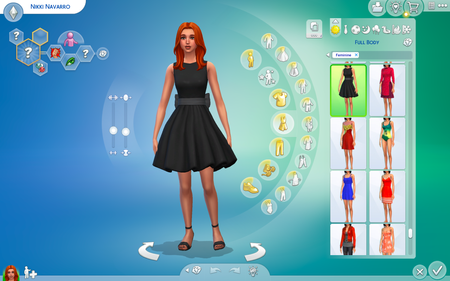
When I go into CAS, I cannot rotate my sims. I have unadded mods, and this has still not fixed the issue. I also cannot shape things, like the shoulders, thighs, or face shapes/sizes. Would really like this cleared up! Thank you. This is for MacBook ProDownloading Sim from the gallery unlocks hidden CAS items
Maybe it's just my game. I play on Mac without mods, only expansion packs. I've been dealing with this problem since I started playing Sims 4 around 2024. If I download a sim from the gallery doesn’t matter if it's an old sim or a new sim that was just uploaded; my game will automatically unlock all of the hidden CAS items. Please fix this bug!!!! Edit By crinrict: Adjusted Title to better reflect the issue
Bug with saves
I am making an apartment with different units and themes. I am using cheats, but just basic ones like bb.moveobjects and bb.showhiddenobjects to clutter and design the units. However, I have just noticed that after I save and exit the game, I join back to multiple items missing throughout the whole building. How do I fix this because I am having to redo over half of the rooms each time I log back in.Solved