Forum Discussion
6 years ago
If you mean texture streaming budget then here and if not, I'm pasting the whole video settings of mine. Sorry for the inconvenience!

EA_Kent
Community Manager
6 years agoGot it, thanks!
When you've got a chance could you try lowering the texture filtering settings to see if that makes any difference at all? I've seen some cases where having this set too high can cause some weird issues.
Let me know if you're still getting the same error message afterward.
/Kent
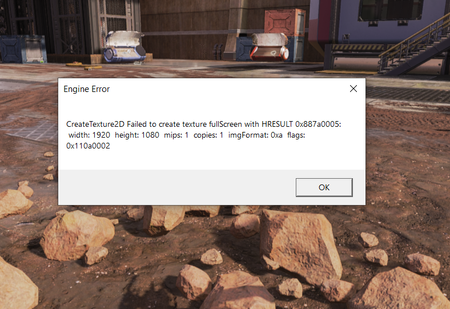
- 6 years ago@EA_Kent I've tried playing it at 3 GB (Medium) which is halve the memory of my laptop and honestly, the frequency has dropped but it still crashes. It went from once every match to once every 3-4 matches so that's a good point, but is there no way to absolutely eliminate this problem?
- EA_Kent6 years ago
Community Manager
Thanks for giving it a shot.
Lowering the texture filtering may also help with this. I noticed that you have it set to the maximum at the moment. Can you try switching it to a lower setting to see if that helps at all?
/Kent
- 6 years ago@EA_Kent
Sadly, it doesn't work. I've set it to "trilinear" which is the 2nd lowest setting and it my game still crashes with that error.
Another new thing I observed is, my screen goes black sometimes and the game itself becomes transparent. I can hear the movements and punches and shootings but I can't see, the game is fully transparent and alt-tabbing doesn't help at all.
I don't think it's my memory or GPU to be honest. I feel like it's more of that the game can't co-op with a driver of mine. I would roll back my drivers but I don't which or to what I can or should so a little bit of insight would be helpful!