Forum Discussion
278 Replies
- xYoungReignx3 months agoNew Rookie
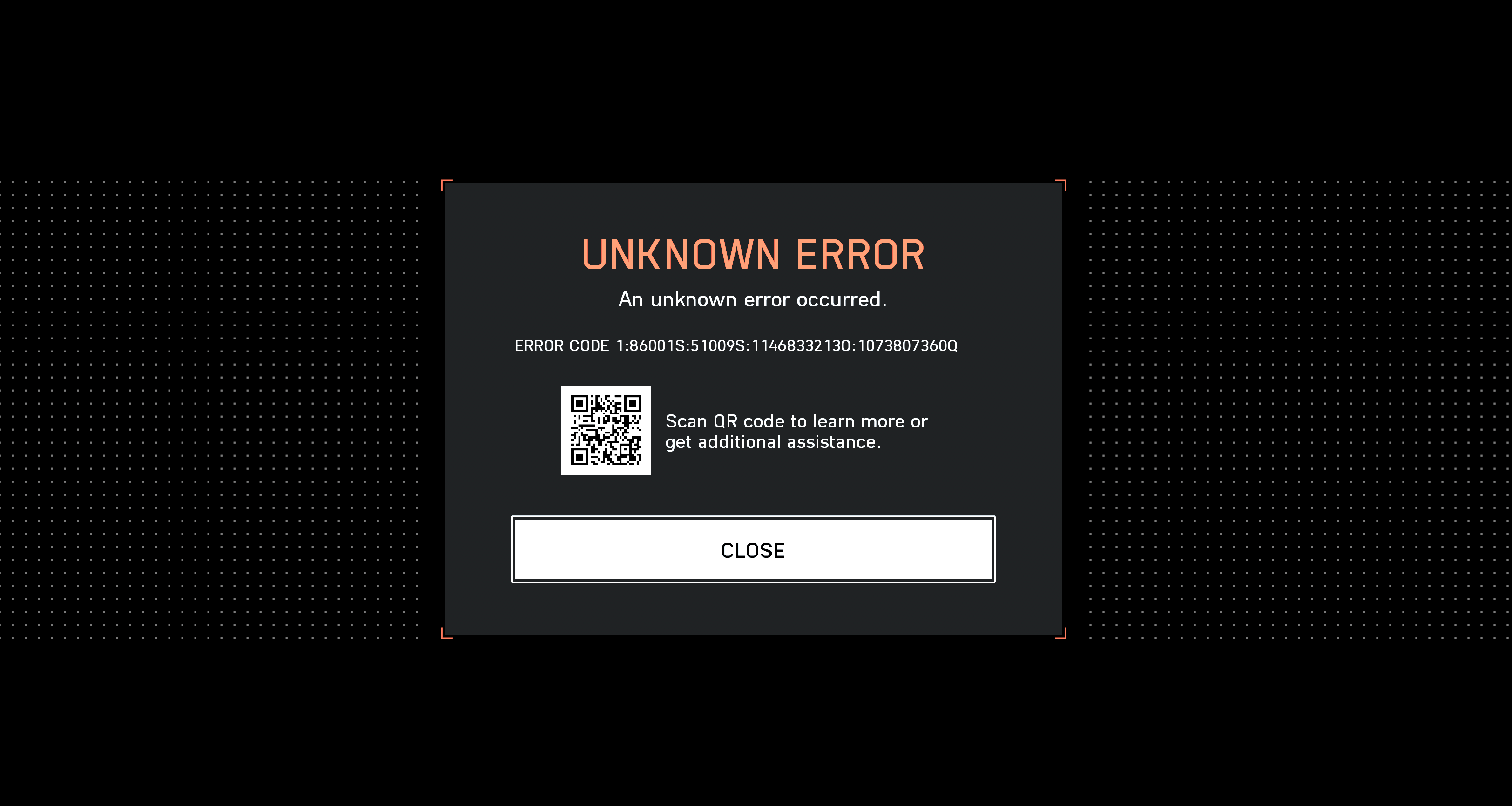
Computer froze and so I restarted. Now I can no longer get into the game past the que. It will put me in que then this error will pop up. I have done everything I can think of to resolve it but nothing has worked.
Any Ideas? - ItsBMoney3 months agoNew Traveler
I was able to play battlefield 6 fine on launch day (Yesterday)
I purchased and played the game through Steam.
This morning when I try and launch battlefield I get the ERROR CODE 1:86001S:51009S:11468332130:1073807360Q On the splash screen before i can even access the game. Below it has 1 option that says "Close" when you click "Close" it then returns to the splash screen, tries to connect or authenticate again, and presents the same error, constantly looping.
I have raised a ticket with EA directly but know this is going to take a very long time for them to resolve.
Below I have added the troubleshooting steps I have already taken:
- Verified integrity of game files
- Updated NVIDIA Driver to Version 581.42 (Attempted on comment recommendation)
- Turned OFF STEAM CLOUD (right click Battlefield 6 -> General ->Steam Cloud)
- Turned ON STEAM CLOUD (right click Battlefield 6 -> General ->Steam Cloud)
- Restarted Pc
- Restarted Router
- Turned Off Windows Firewall
- Uninstalled any anti virus
- Added firewall exception
- Reinstalled Game
- Disabled DLC packs in Steam
- Run Steam as administrator
- Run steam as separate user
- Removed any USB storage devices from machine
- Tested on Personal Mobile hotspot
- Changed ethernet port to separate port on router
- Secure boot enabled. Has been enabled this whole time, even yesterday when it was working. (Comment recommendation)- Removed Authenticator on EA website -> Account
- Re-Added Authenticator on EA website
- Removed all trusted devices on EA Website
- Installed and turned on CloudFlare Warp AppERROR CODE 1:86001S:51009S:11468332130:1073807360Q
- ItsBMoney3 months agoNew Traveler
I CANT EVEN MAKE A SUPPORT TICKET!!!
- ItsBMoney3 months agoNew Traveler
I was able to play battlefield 6 fine on launch day (Yesterday)
I READ A POST SAYING THAT UNLINKING YOUR EA ACCOUNT FROM STEAM AND RE-LINKING IT TO A NEW EA ACCOUNT WORKS. I DONT WANT TO DO THIS HOWEVER AS I WONT BE ABLE TO RE-LINK IT TO MY EXISITING ACCOUNT
THIS ISSUE SEEMS TO BE RELATED TO THE ACCOUNT ITSELF.
I AM ALSO UNABLE TO CREATE ANY TICKETS THROUGH EA. I CANT CREATE CASSES AT ALL FOR SOME REASON AND I BEILIVE THIS ISSUE CAN ONLY BE RESOLVED BY EA THEMSELVES.I purchased and played the game through Steam.
This morning when I try and launch battlefield I get the ERROR CODE 1:86001S:51009S:11468332130:1073807360Q On the splash screen before i can even access the game. Below it has 1 option that says "Close" when you click "Close" it then returns to the splash screen, tries to connect or authenticate again, and presents the same error, constantly looping.
I have raised a ticket with EA directly but know this is going to take a very long time for them to resolve.
Below I have added the troubleshooting steps I have already taken:
- Verified integrity of game files
- Updated NVIDIA Driver to Version 581.42 (Attempted on comment recommendation)
- Turned OFF STEAM CLOUD (right click Battlefield 6 -> General ->Steam Cloud)
- Turned ON STEAM CLOUD (right click Battlefield 6 -> General ->Steam Cloud)
- Restarted Pc
- Restarted Router
- Turned Off Windows Firewall
- Uninstalled any anti virus
- Added firewall exception
- Reinstalled Game
- Disabled DLC packs in Steam
- Run Steam as administrator
- Run steam as separate user
- Removed any USB storage devices from machine
- Tested on Personal Mobile hotspot
- Changed ethernet port to separate port on router
- Secure boot enabled. Has been enabled this whole time, even yesterday when it was working. (Comment recommendation)- Removed Authenticator on EA website -> Account
- Re-Added Authenticator on EA website
- Removed all trusted devices on EA Website
- Installed and turned on CloudFlare Warp AppERROR CODE 1:86001S:51009S:11468332130:1073807360Q
- Bon3zzTV3 months agoSeasoned Traveler
This error is caused by your account having two separate EA IDs which is not something that should be possible but I can promise you that if you were able to put into a ticket, you're wasting your time. EA support literally does not grasp what the issue is and I tried to argue with them for over 5 hours last night. Basically for example if I go on the EA desktop app and go to my profile, it will not show my correct EA ID instead of my current one but by changing my "Nickname" on that profile to the correct ID it would overwrite the nickname and fix my profile to have the correct name. This issue would happen to me with Battlefield 2042 and that was how I would fix it.
However, now I'm in the same situation as you as I own the game on steam and this is not an option to fix the game. No matter how many tickets you put in support doesn't understand what the issue is and our games are basically bricked unless you can convince them to fix this issue on your account. The error we're getting is an account authentication error caused by ID mismatch and you literally cannot fix it on your end with the Steam copy of the game without starting over.
I've tried unlinking and relinking to the same account but it did not fix the issue. Linking to a brand new account should 100% fix the problem but you're going to probably lose all of your game progress that you made on the first day.
- ItsBMoney3 months agoNew Traveler
I cannot even talk to a member of EA staff? how did you get hold of someone? i am busy arguing with a Community manager in discord
- Bon3zzTV3 months agoSeasoned Traveler
https://help.ea.com/en/ea-account/
Go to the bottom of this page and there's a contact us button. It's going to look like you're submitting a ticket but it's not so after you press submit, scroll down to the bottom and you'll see something like chat with an adviser which will open a live chat with EA support. Fun fact, the submit button itself doesn't even work on Firefox / Chrome and you have to use Edge for it to actually work.
- ItsBMoney3 months agoNew Traveler
Ok thank you i have managed to find it <3
- Bon3zzTV3 months agoSeasoned Traveler
No problem, if you somehow convince them to fix your account by all means please tell me how you did it because every person I talked to last night couldn't even type a sentence that didn't contain broken english or a copy / paste response. I would really love to play my $100 paperweight game
- ItsBMoney3 months agoNew Traveler
No worries, Im speaking to them now. add me on discord. Discord account - Odrive