Forum Discussion

Cute_Loco_Coco's avatar
Cute_Loco_Coco
Seasoned Newcomer
7 hours ago

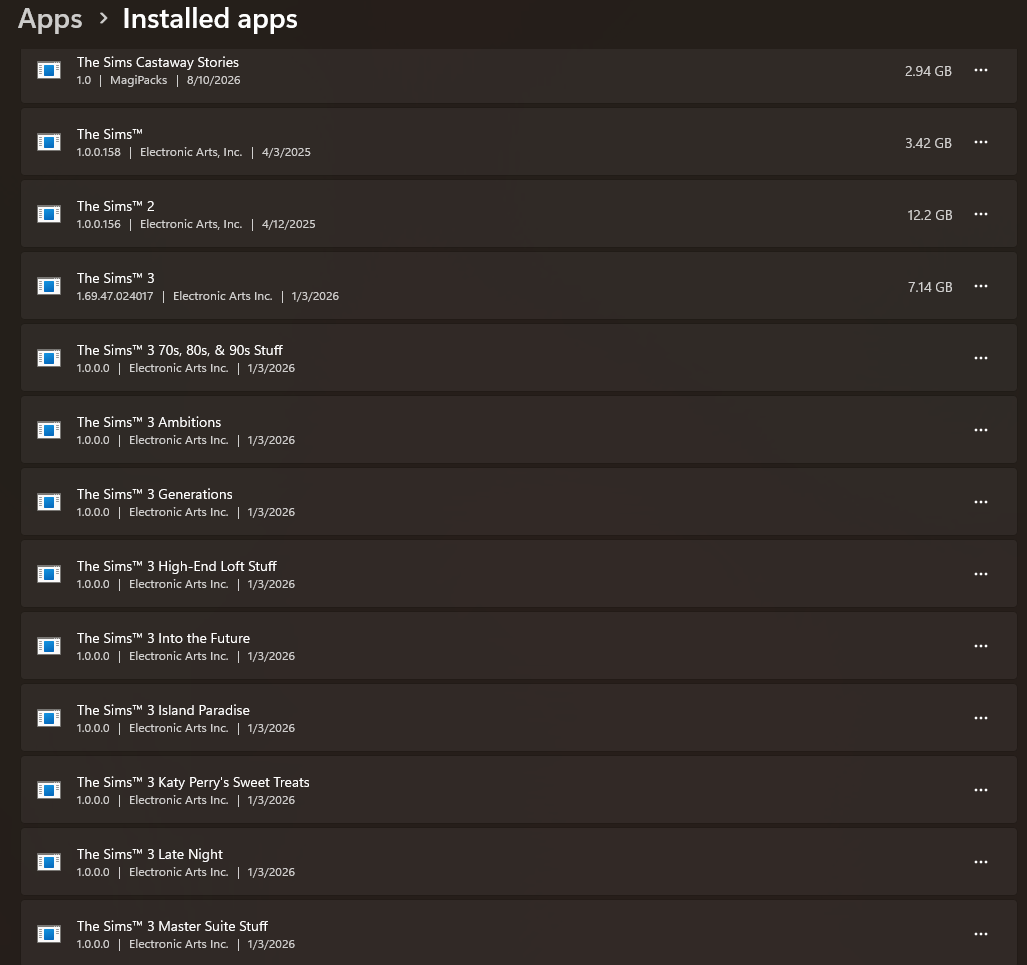
All my installed games are gone from EA

My pc was shut down for awhile and I had to reboot it a couple times. I went onto the EA app and all my games are gone. It says I need to install them when I have them already installed. Ive tried clearin cache, restarting the app, deleting files. None of it is bringing it back, I dont know what to do now. Anyone else had this issue and knows how to fix it? Please help 

1 Reply

  • Cute_Loco_Coco​  Try installing the games to the location(s) where they're already installed.  Often enough, the EA App will simply verify the files and complete the install process.  Sometimes it redownloads some of the content though, and I haven't found a way around that when it happens.

    By the way, if your games are installed on an external drive, this could happen because the drive letter changes.  Windows assigns the letters in the order the devices are connected in that particular session.  If you think this might have happened, disconnect all external drives and anything else that might receive a letter (for example a DVD drive), restart the computer, and reconnect the devices in your usual order, then take another look at the EA App game library.

Featured Places

Node avatar for EA app Technical Issues & Bugs

EA app Technical Issues & Bugs

Having issues with the EA app? Join us to report bugs, and find help with downloads, DLCs, purchases, and login errors.Latest Activity: 25 minutes ago
9,200 Posts

Recent Discussions