EA_Leeuw Community Manager
Community ManagerHow to fix Error Code EC:10000 or EC:10500 in EA app?
 Community Manager
Hey Man, I faced the same problem too, turns out my vpn was on. If you turn it off (atleast in my case) it worked.

estaba igual y esto me funciono. ONU
 Community Manager
Hey Everyone,
If you are still receiving these errors, please provide all of the following information so that we can forward it to the team.
EA App
EA ID: Matthew4170
Windows OS: 10
Windows OS Version: Version 22H2
GPU Model and driver: NVIDIA Geforce GTX 1660 Ti, 31.0.15.1694
Antivirus installed: Emsisoft Anti-Malware
Connected Via VPN: NONE
Region: USA
I am using an internal SDD for EA App.
Started happening about a week or so from now. As soon as I decided to start using offline mode, and running into those 4+ hour sessions utilizing offline mode. Still happening.
No other errors.
(One thing I'll note, when I was writing up the bug report, I reported the error code as 1501, not 10501. Oops.)
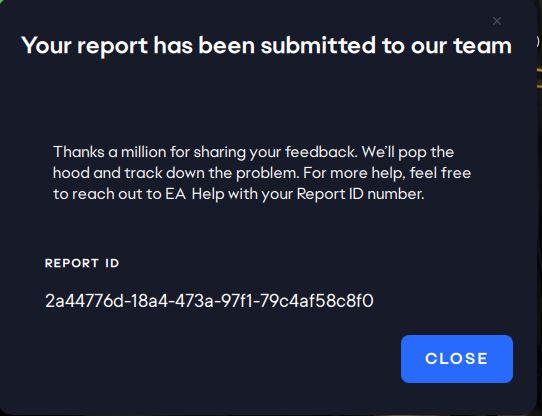
EDIT: I have a specific file that seems to be all about the exact error. And wasn't sent according to the Error reporter log. Attaching.
Community ManagerThank you and you can confirm that you have run through all steps on this thread and they all still give the same type of EC error?

Hello
facing the same issue that everyone here...
I've done all the test, uninstall/reinstall, update driver, SFC scan, lighting candles and burning incense... but nothing change... everytime the EC:10000 error...
Thanks (I miss APEX a lot.. so please Helllllpppppppp me ;-) )
Here my info :
EA App/Steam/Epic: EA App
EA ID/Steam user ID: hevy75
Windows OS:Windows 10 Professionnel
Windows OS version:22H2 - 19045.3031
GPU model and driver version: AMD Radeon RX6800 (Shappire) / V 31.0.14057.5006 (23/05/2023)
Antivirus installed: Avast (tested with it deactivated)
Connected via VPN: No
Region: Europe (France)
Are you using an internal or external drive? No
Are you using an HDD or SSD? Internal SSD
Date this issue started (is it still happening?)? Last connection=, mid april 2023, was ok and this issue occured yesterday (11th june 2023)
Other error(s)? no - All update and check done
If possible, share a Screenshot or Clip: Attached
Attach a DxDiag: Attached
Attach the EA App Error Report ID Here => EC:10000
Community Manager