Forum Discussion

Baksio99's avatar
Baksio99
Not applicable
4 years ago

Installer For EA app Broke

Product: EA Desktop
Platform:PC
Error Report ID (learn how to create an Error Report ID in the sticky post) Installer broked
Which client functionality are you experiencing this bug with? Application Installer
When did this happen? (dd.mm.yy hh:mm) 11.6.21
Summarize your bug When i try to use The EA app with xbox app its popping out some error, if i try the exe installer of EA app it doesnt do anything but shows up in task manager and even trying msi installer doesnt work so plz help
How often does the bug occur? Every time (100%)
Steps: How can we find the bug ourselves? have the same pc as me
What happens when the bug occurs? nothing its just doesnt work
What do you expect to see? improvements

please help

5 Replies

  • I am unable to install EA Desktop. I am able to download the .exe file, but as soon as it "finishes" the installation, the window closes and nothing else happens. I have looked through all of my files, but it doesn't actually install to my computer anywhere.

  • EA_Barry's avatar
    EA_Barry
    Icon for Community Manager rankCommunity Manager
    4 years ago

    @Brycecress15 

    If your user account does no have administrative privileges you may see this kind of behaviour.

    Try right clicking the installer and then choose "Run as an Administrator".

    Thanks.

  • Baksio99's avatar
    Baksio99
    Not applicable
    4 years ago
    @EA_Barry well i tried before giving it administrator privilages so that didnt work either
  • Baksio99's avatar
    Baksio99
    Not applicable
    4 years ago

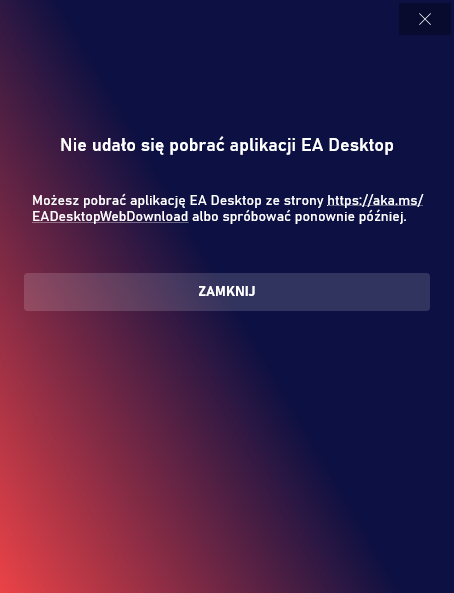
    So i got the new xbox game pass and tried installing EA app through Xbox app which failed then i tried an .exe installer from your website then i tried some .msi installer from HQ forums it didnt work either administrator privilages dont work  deleting specific registry key which didnt work, but when i try to install ea app from exe it shows that in taskmanager its on, msi installer shows this(See msiinstallererror) the xboxapperror image shows that xbox ea app installation is unable to do it but in Polish (See XboxAppEaError) so in short im un able to install an ea app 

  • DasMadScientist's avatar
    DasMadScientist
    Not applicable
    4 years ago

    @Baksio99 Use this command in cmd as an administrator:
    msiexec.exe /i "C:\pathtothemsi\EADesktop-12.0.92.4925-383.msi" /l*vx "C:\logs\EAD.log"
    This will save the log of the msi in C:\logs\EAD.log and hopefully help us understand what's wrong.
    msiexec: the command to use the Microsoft Installation in command line. /i means it will install the program normally, followed by the msi file dir, /l*vx logs everything that happens in the installation.

    If you can, run another .msi installation to ensure that it is indeed a problem with the EA Desktop installation and not with the Microsoft Installer like it was for me. (This worked for me, but I do not take responsibility for this tool. Use it at your own discretion.)

Featured Places

Node avatar for EA app Technical Issues & Bugs

EA app Technical Issues & Bugs

Having issues with the EA app? Join us to report bugs, and find help with downloads, DLCs, purchases, and login errors.Latest Activity: 1 hour ago
8,898 Posts