Solved
Forum Discussion

37 Replies
 trangkhoactg3 years agoNew Rookie
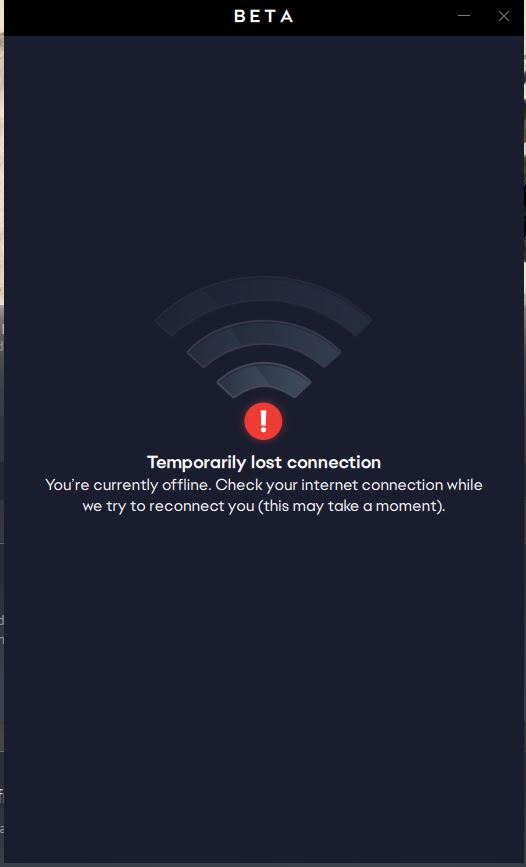
same problems, My internet was good. I have tried turning my firewall and antivirus off but it doesn't work
I've got the same problem. Disabled firewall, but can't seem to connect to the EA app at all. Also tried reinstalling/restoring my PC to an earlier date - nothing. Any suggestions, EA?
I had this same problem but I think I managed to solve it. Here’s what I did:
- Delete the folder EA outdated or something like that on C:\Program Files\EA Desktop\outdated_EADesktop (it’s not enough that you click on the trash icon, you have to delete it from the recycle bin too)
- Open Avast > protection > firewall
- Look for EA on the list and click into the 3 dots next to block > show app rules
- Click on basic rules and wait for it to load (be patient) and then click on app rules
- Delete all the rules for the apps that contain outdated_EADesktop in the location (don’t delete any other thing that doesn’t contain “outdated”)
- Close Avast and open the EA app, everything should run normally
I hope this helps, it’s the only thing that’s worked for me!
Turned out that Windows Defender was absolutely smashing my EA app as it tried to load, continually killing the C++ program as soon as it was launched, according to Task Manager. I confirmed this was the case by downloading Malwarebytes-- the antivirus executable was replaced, yet its role as serial EA app murderer was still fulfilled. After much fussing, I finally made sure EA Desktop (and all related files) WERE NOT running in compatibility mode-- I unchecked this box, and EA app is now running.
Hope this helps.
@natitalamalita this is so confusing theres nothing saying outdated in the folder- ive looked through it like 5 times, i just want to play sims bro😭😭
I also have been attempting to launch ea app but get the same issue I’ve checked and my firewall doesn’t seem to be blocking it please can anyone help me out I’ve been trying to open this app for 3 days now
Hello EA this issue is still going on. Please post a resolution to this issue instead of letting it being buried multiple pages down from the main
@poccda4pgcnuThis helped me. For now, adding `C:\Program Files\Electronic Arts` as an exclusion in Microsoft Defender solved it. If it starts to act up again, I'll see if I need to turn off compatibility mode.
Thank you.Did not work for me. Still looking for a solution.
Did not work for me. But glad it worked for you.


Featured Places