Kingdom of Amalur: Reckoning no DLC playable


 Community Manager
Hey -- I get the frustration here, especially if you’re losing access to saves or DLC content.
Just to set expectations: the forums aren’t a 1:1 support channel, so replies aren’t guaranteed or immediate. If you need direct assistance on your account or entitlements, EA Help is the right place to go.
That said, a few things you can try which have resolved similar issues for others with Kingdoms of Amalur: Reckoning:
If none of that helps, you’ll need to contact EA Help so they can check your account-specific entitlements directly.
Thank you for your reply.
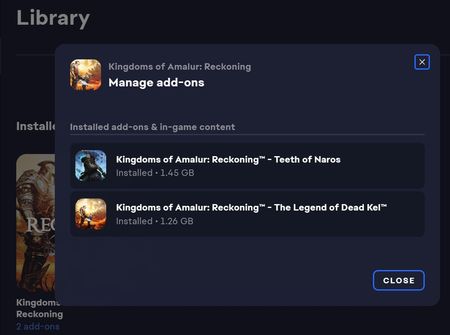
The DLC is indeed correctly installed according to EA App, and the files are all present. 'Repair' was the first thing I tried. I even completely re-installed the game fresh (including user files) to be sure.
That said the problem is clear. The game no longer signs in to my EA account, as evidenced by the message saying so, at the bottom of the main menu screen. Selecting the 'Downloadable Content' menu option produces an 'Unknown Error', as does trying to reconnect to my EA account through the 'Options' menu. Attempting to load a save file yields a message that the DLC is not installed. A new game fails to show the new DLC areas or quests. The game is simply not set up to allow the DLC to be used anymore, without a valid server allowing it to authenticate the player's ownership. Administrator access has no effect on this behavior.
This would be an exceedingly simple hotfix; to either redirect the game to an active server or, even better, just disable the requirement entirely (as in the Steam version, which reportedly doesn't require in-game sign in for the DLC to work).
I will see if I have any luck with EA Help. However, to be clear, this WILL require an update or edit to game files, or for EA to set up an alternative authentication solution. I would appreciate it if you could bump this issue up the chain, to help highlight the problem.
Thanks.
Community ManagerThanks for the detailed breakdown -- that helps clarify what you’re seeing.
From what you’ve described, the game isn’t completing its in-game authentication step, which is why DLC isn’t being recognised even though it’s installed locally. That also aligns with the “Unknown Error” and the missing DLC prompts in both existing and new saves.
For Kingdoms of Amalur: Reckoning, those systems are part of the original game setup and aren’t something we can modify or patch via the forums. Differences between platforms (like Steam vs the EA app) can come down to how those versions were packaged or updated over time.
At this point, there isn’t an additional workaround we can provide here beyond what’s already been tried. Since this may involve how entitlements are validated on your account, EA Help is the right place to check that side directly.
I understand that’s not the ideal outcome, but they’ll be able to review account-specific details we can’t access here.