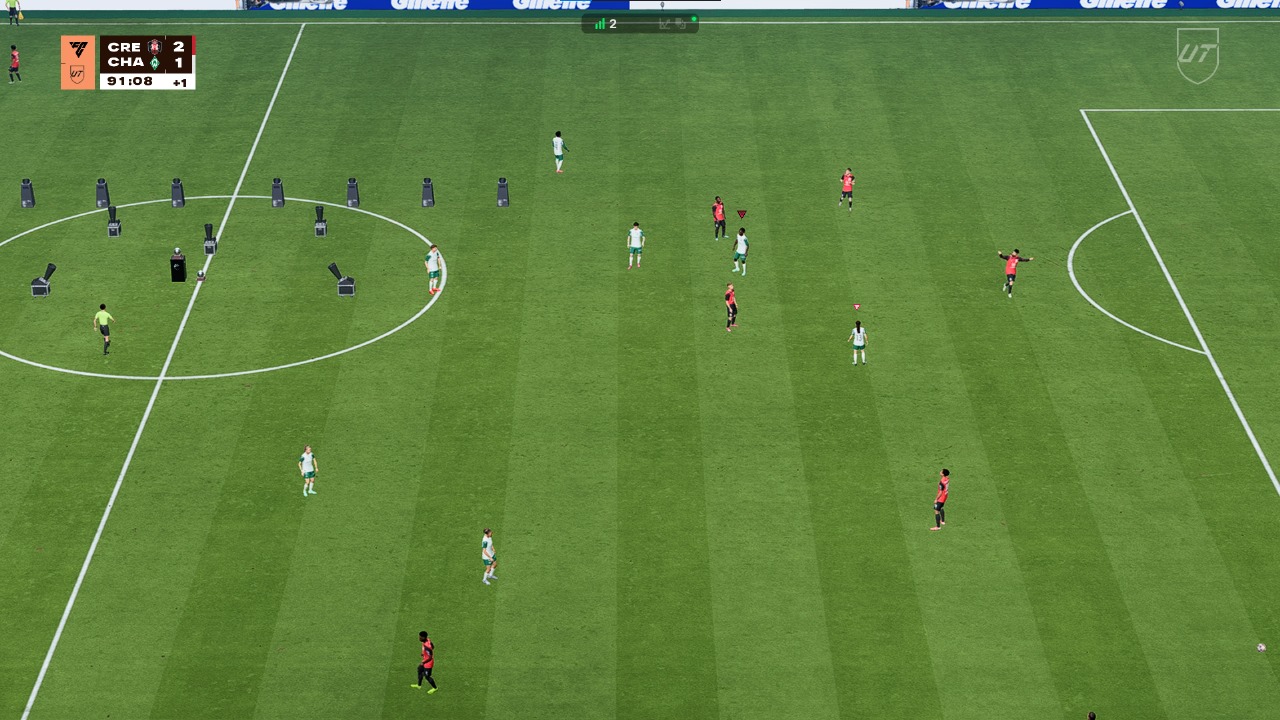
An update was released today for all platforms to address specific framerate issues that were occurring in the second half of matches. Please check the complete update notes here, and let us know in the comments if you continue to experience any issues.
EA will never provide a solution. It seems that the same thing is happening to me as to you. The only solution I've found so far is to play Rush or any match until I get that FPS bug in the second half. I finish that match. Then I go back to the start menu and go back to Ultimate and the game crashes. I can't see the playstyles or some other things. But at least the bug doesn't happen again and I don't have to close the game at all.
I know it's not a solution, but at least it's letting me play. Although there's not only that bug, there are many more on PC.
Look at this new bug that happened to me in 2 games in a row. The game is getting worse on PC and it happened in the promotion match. The saddest thing is
It’s been many days and the problem is still the same. In almost every match, during the second half my GPU usage suddenly spikes to 99%, FPS drops from around 120 to 20–30, and the game gets a huge input lag. It even stays like this after the match until I restart the game. Sometimes it happens when I just open packs. I just want to play normally, but this issue makes Rivals and other modes almost unplayable. If anyone has found any kind of fix or workaround, please share it here. And EA, please, we need an update or acknowledgment about this problem. System Specs: CPU Intel i5-12500H @ 2.5GHz, RAM 16GB, GPU NVIDIA GeForce RTX 3050 Laptop (4GB), OS Windows 11
Hi EA_Pulsar I think I have a workaround to the problem (frame rate drops after half time) - but after many games the problem returns randomly (might be certain pages in FC 26 that cause this with these specific settings? If not these settings - it happens on first game played.). After playing many games - maybe 10-15 games, but also going to many other screens - Objectives,
Firstly - my laptop is a ASUS ROG Strix G713QC - RTX 3050 4096MB GDDR6. Screen is 144Hz. If you purely play the games i think below settings are good - also, something is changing the setting below while in game. When I set this to Performance the game works well.
As of this writing my driver version is 581.57 (Oct 14, 2025) - latest released.
This is on Program Settings Tab. (I try to keep global settings same as well)
Below settings for driver works for me.
In the NVIDIA Control Panel - I first restore the both Global and Program Settings. Then make the same changes in both:
Anisotrophic filtering: Off
Low Latency Mode: Ultra
Max Frame rate: (-3 of Screen refresh rate - 141FPS on my 144) I saw this from a website that also has settings to configure - not sure if this works - anyone please clarify if this is needed.
Power Management Mode: Prefer maximum performance
Texture Filtering - Anisotrophic sample optimization: Off
Texture filtering - Negative LOD bias: Allow
Texture filtering - Quality: High Performance
Texture filtering - Trilinear optimization: Off
Threaded optimization: On
Vertical sync: On
Below in Game Settings:
If you get a frame drop in game set it to below settings (if you have the time to):
It will help you to complete the game without incurring a loss - or in my case rage quits. It will give you a fighting chance.
Anyone - please try these and reply to this post so that a thread of help can be established - not thousands of random complaints.
Summary of the Issue: There is a critical memory leak bug tied to a specific pre-match cinematic: the one that shows the view from outside the stadium. This bug causes the GPU's VRAM to completely saturate, leading to a massive and permanent performance drop to under 5 FPS. This issue has been consistently replicated in Ultimate Team modes (Squad Battles, Rivals) and Pro Clubs, making the game unplayable and forcing a full application restart to restore performance.
Detailed Description: During normal gameplay, the game runs with excellent and stable performance, exceeding 90 FPS. However, after the specific stadium exterior cinematic with people walking is played before a match, the VRAM usage reaches its maximum limit. Once this cinematic concludes, the allocated memory is not released. This results in a drastic performance drop to less than 5 FPS. This low-performance state is permanent and persists throughout the subsequent match and into the post-match menu screens.
The only 100% reliable way to fix the issue after it has occurred is to completely restart the game application. On some occasions, returning to the main menu after a match can clear the VRAM and restore performance, but this behavior is inconsistent and does not always work, making it an unreliable solution.
System Specifications:
GPU: NVIDIA GeForce RTX 3050 Laptop 4 GB
NVIDIA Driver Version: 581.81 (updated)
CPU: AMD Ryzen 5 6600H
RAM: 16 GB DRR6 4800 mhz
Operating System: Microsoft Windows 11 Home Single Language - Versión 10.0.26100 compilación 26100
Exact Steps to Reproduce the Bug:
Start a match in Ultimate Team (Squad Battles, Rivals) or Pro Clubs modes.
Wait for the pre-match cinematic that shows an exterior view of the stadium with people walking.
Once the cinematic finishes and gameplay begins, observe that the FPS has dropped to less than 5.
Play through the match and enter the post-match menus to confirm that the poor performance persists indefinitely.
Detailed Root Cause Analysis: After extensive diagnostics, the following has been confirmed:
Cause: The issue is a memory leak. During the stadium exterior cinematic, VRAM usage on a 4GB GPU reaches its practical limit (~3.7 GB) and is not deallocated afterward.
Technical Symptom: During the FPS drop, hardware monitoring shows that the GPU's clock frequency (MHz) remains high and stable, but the GPU Load percentage is extremely low. This confirms a severe bottleneck in the memory subsystem (due to paging or "thrashing") and not an issue with the GPU's processing power.
A FINISHED GAME SHOULDN'T HAVE THESE KINDS OF ERRORS/BUGS.!!!!!
Please resolve this, the game came out 1 month ago.!!!!!
I reached to the best temporarily solution so far!
My lap specs:
CPU: core i5 11300h
GPU: rtx 3050ti 4GB
Ram: 24GB
Windows 11
Set Windows display resolution to 1600x900
In-game settings:
Display settings:
Resolution 1600x900
Refresh rate: ur Monitor refresh rate
Frame rate: 60FPS
Vsync: on
And the rest off/default
Graphic settings:
All settings on low/off, except grass on medium, as my preference. Or all settings low/off.
U won't get that massive frame drop after first half which now u can complete matches, however, the drop gonna still occur after the match end(which is fine), when u quit an online match or sometimes when u open a pack, what u do in those cases is that instead of restart the game, just exit UT and u will see ur frame rate back to normal as soon as the game loading to the game main menu. just go back to UT and that's it. U can play again with no issues. It's still an issue and they should fix it. But at least u can finish matches and u don't need to restart the game