Ultrawide | 21:9 and 32:9 | Can we get a fix?
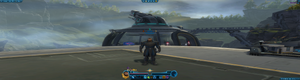


Hey dude.
I can see what you have been trying with your setup as a workaround, however there are some fundamental errors on your end, in how you're addressing the problems you are facing.
Please consider utilising this old guide that I did years ago, step by step, starting with installing DX9C; then working through the graphics settings for Windows, Your Vid Card Software, then finally the game.....
**I believe that you have image stretching going on, because your resolution settings is not 'normalised' across all three specific settings/programs....
1: Windows's default display settings - setup
2: Your Video Card's display settings - setup
3: The Game's display settings - setup
Make all 3, the native resolution of your monitor.
I suspect that you have 'Scaling settings' not quite right, aswell as 'resolution' settings 'off' in one of the 2 areas (Windows/Video Card Sortware).
Don't forget the 'editing' *.exe properties to run as 'Admin', with the windows hidden improvements turned off.
Do this and I would expect that your issues are no more..... this guide works for EVERY GAME, in EVERY PLATFORM.... with minor 'file specificity' tweaks.
My kids still use this guide to this very day, as young adults.
Have fun
Woody.
https://forums.ea.com/discussions/star-wars-the-old-republic-en/guide-how-to-install-swtor-correctly-and-address-windows-10-issues/10760168




