Forum Discussion

Hollymaze's avatar
2 years ago

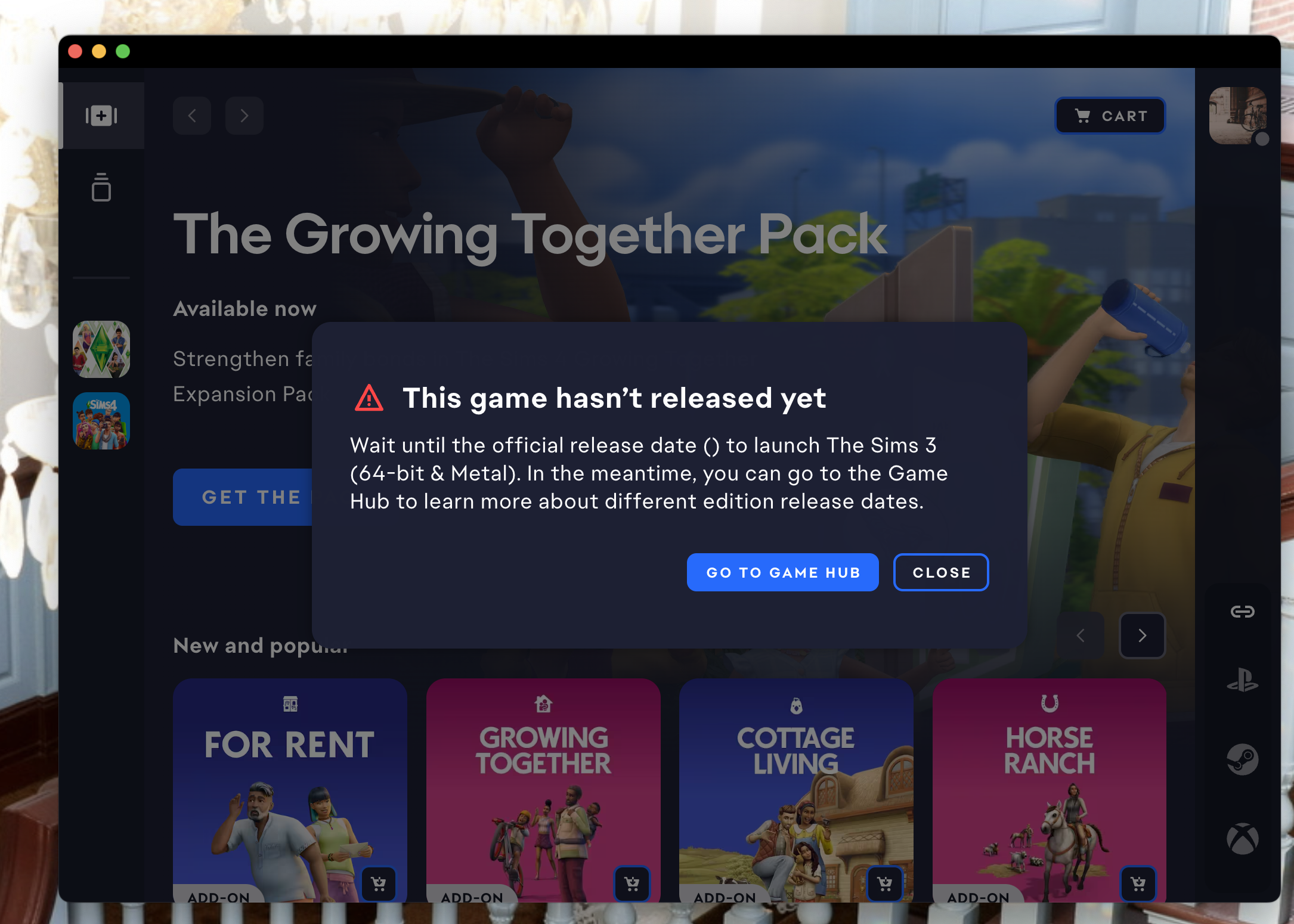
Sims 3 Won't Launch - This Game Hasn't Released Yet Error

When I try to run Sims 3 from the EA app, I get a message that says " This game requires permissions. This game requires administrative privileges. Do you want to grant access and launch the game?" I can then click "OK", but then get a second pop-up that says "This game hasn't released yet. Wait until the official release date () to launch The Sims 3...." Seeing as how this game released 15 years ago, I'm not sure why this error is occurring. I've attempted logging out and back into the EA app, uninstalling and then reinstalling the EA app, restarting the computer, clearing the EA app cache, choosing the Manage > Repair option under the Sims 3 game options in the app, and running both the EA app and the launch files for Sims 3 ("TS3.exe" and "TS3W.exe") as administrator, all to no avail. If someone can help me figure this out, I would very much appreciate it

5 Replies

  • @Hollymaze  I've seen a few examples of this error in the last couple days.  So a few questions:

    • Is your game library loading properly?
    • What country are you in?
    • Do you use a VPN, and if so, does disabling it help?
    • Can you play in a new admin Windows account?

    Let me know so I can compare notes with the other affected players.

  • Hollymaze's avatar
    Hollymaze
    2 years ago

    @puzzlezaddict Thank you for replying! Here are the answers to your questions:

    • Yes, the game library is loading properly
    • I am in the United States
    • No, I do not use a VPN
    • Yes, I was able to successfully launch the game on a new admin Windows account. At first, the EA app wouldn't launch on that account, but I ran the App Recovery tool to clear the cache and after that, it finally worked on the new admin account.

    So I guess there is something going on with my primary user account on Windows? I am running Windows 10 version 22H2 if that helps anyone else with the same issue.

  • puzzlezaddict's avatar
    puzzlezaddict
    Hero+
    2 years ago

    @Hollymaze  That's a good outcome, at least: since it's a local problem, you don't need to wait for EA to figure it out.  I've still flagged your post and the others with the same error in case there's something else going on with the App.  But in the interim, try uninstalling the App with Revo Uninstaller (the free version is fine).  Restart your computer before reinstalling.

    Please also delete all the folders listed here (post 223), if Revo doesn't find and remove them all itself:

    https://answers.ea.com/t5/PC/CURRENT-ISSUE-Sims-4-already-running/m-p/13785451#M277450

    The error associated with this leftover data was different at first, but the App is known for throwing new errors for the same underlying issue.

    You can of course play in the new admin account for now if you'd like, and copy over any data you'd want to keep using, for example saves.  Your computer has a Public folder inside C:\Users that's accessible from any user account, so it's an easy way to move around data without using cloud storage or an external device.

  • A new problem I have with the EA App is my game being "not available" on Mac... anyone else seeing this?

    So ever since the release of the EA App I've had issues with my TS3 game. I had the whole thing of not being able to download from the store but that couldn't be fixed so I said okay maybe there will be an update to this EA App. Yesterday I started getting this new error -_-

    I have attached screenshots hopefully you can see them but basically it says TS3 is only available on Windows 😠 I'm pretty PO'ed at this point with the EA App causing more issues. Obviously I've done all the uninstallation/catche removal tricks that work on other errors but no joy.

Featured Places