[CURRENT ISSUE] Sims 4 Problem With Your Game's Setup
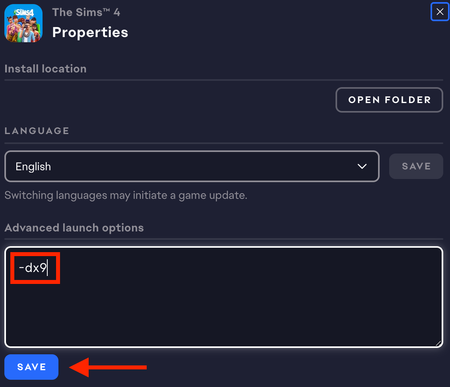

Mumumw Close the EA App and kill the EABackgroundService in the Task Manager's background processes list. Open the game's program files and delete the entire Bin folder (the same place where you installed GShade). Open the EA App, clear its cache:
https://help.ea.com/en-us/help/faq/clear-cache-to-fix-problems-with-your-games/
and repair the game (Sims 4 > Manage > Repair). Then see whether you can play in DX9 mode.
If that doesn't help, please provide a dxdiag. Click Windows key-R, enter dxdiag in the run box, wait for the scan to finish, click "Save all information," and save the file to your desktop. From there, you can attach it to a reply using the paper clip (Attachment) icon included with the other formatting buttons.

hello! It did not help so here is the dxdiag:


