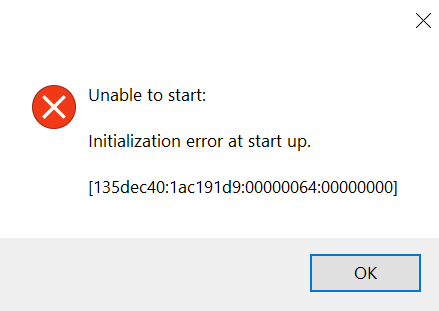
[CURRENT ISSUE] Sims 4 Unable to Start, Initialization Error

@bunni_b0o EADesktop.exe would be here, if the EA App is in fact installed:
C:\Program Files\Electronic Arts\EA Desktop\EA Desktop

it didnt work,,
@bunni_b0o What antivirus did you use? Were you able to set all of the exceptions I listed?
Windows Security - whatever automatically comes with my laptop? (hp; windows 11) i haven't manually installed any.
and yes, i was able to make the exceptions for everything.
@bunni_b0o Try disabling Defender's Controlled Folder Access, temporarily, to see whether it helps. Defender itself is fine, so leave it enabled.
If that doesn't help, and you're getting the same error, please list the location of this Windows account's Documents directory. (Your computer will have several Documents folders, but only one directory per account.) Search in Windows for Command Prompt, open it, and enter this command, starting with reg query:
reg query "HKCU\Software\Microsoft\Windows\CurrentVersion\Explorer\Shell Folders" /v "Personal"
Please post the result here. You can write [username] instead of your actual username if you like, but leave the rest intact.
If you're getting a different error, please post a screenshot or write out the text.