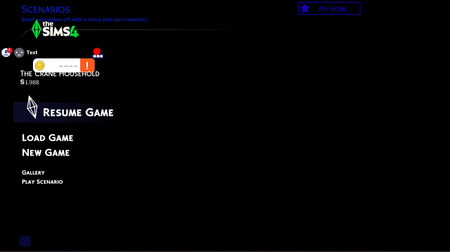
Stuck at a half-loaded title screen...


Aly___Gee__Bee You're getting a few different types of BlueScreens, and while these may not be related to the Sims 4 issue, they should be addressed regardless. So please go here:
https://www.dell.com/support/product-details/en-us/product/latitude-15-5510-laptop/drivers
Download the newest BIOS first, install it, and restart the laptop. Go back to that page, click This Device, and let the site download any drivers it finds need updating, then restart again.
Please also try to clear another 10-15 GB storage on your laptop. While your current 12 GB free isn't so low as to explain the game or system issues, it's better for the overall health of the system to have at least 20 GB free, ideally 25-30 at all times since you'll get some temp files here and there.
If this doesn't fix the Sims 4 issue, please try while your computer is offline. Sign into the EA App, put it in offline mode, move or delete the current Sims 4 folder in Documents > Electronic Arts, then load the game and see how it looks.
If that doesn't help either, please look for new errors in the Reliability Monitor. Click Windows key-R and enter "perfmon /rel" without quotes, and you'll see a chart of errors and updates with a column for each day. Today is on the right.
Look for an error that happened at exactly the time of your most recent attempt to play, specifically while offline and after you installed the new BIOS and any new drivers. If you find one, double-click it to see more details, then copy that info and paste it into a reply here. If you don't see a new error, check back in an hour or so—the Reliability Monitor doesn't always update right away.
If you don't see a new error, that's fine, just let me know.


