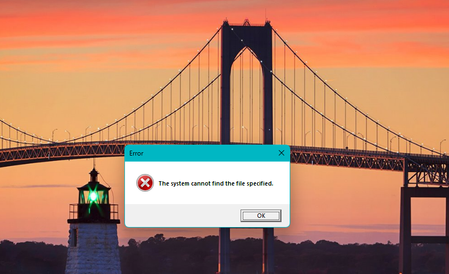
FengjuiSeasoned Ace2 years agoWhy repair Sims4 after computer updates? I just have a question, why do I have to repair Sims4 after my computer Windows II update? Also just as I click the play button on the EA app, I get a message below: So why am I getting this m...Show More
FengjuiSeasoned Ace2 years agoOkay. How do I set the exceptions in my antivirus and keep it that way?
Featured PlacesThe Sims 4 Technical Issues - PC PC players get help with their technical issues in The Sims 4 here.Latest Activity: 2 hours ago54,253 Posts
The Sims 4 Technical Issues - PC PC players get help with their technical issues in The Sims 4 here.Latest Activity: 2 hours ago54,253 Posts
Recent DiscussionsRoyalty and Legacy Broken Textures The textures aren’t loading on the royalty and legacy dlc. I recently downloaded it along with the vampires and strangerville packs which are running fine, I’m playing on steam deck so the folders ar...Sims 4 - Packs missing from EA app My add one came up as unowned and sims 4 needing downloading after I cleared it I need help pls [CM Edit: Title update] Sims won't start up (starts and then stops) with no error message. I accidentally got my last post flagged as spam! Oops! But anyway, hello! I made an account just for this single problem I keep having with my Sims game after the updates back in February that made...Borttagna packs i sims 4 Efter att ha uppdaterat Sims 4 år senare försvann alla mina expansionspaket (osv). De är alla borta, bara standardspelet återstår. Jag vet inte vad jag ska göra Sims 4 Crashing I've Tried Everything I just got a new laptop (Lenovo LOQ Gaming laptop) and downloaded the EA app and all my Sims games. When I launch Sims 4, it shows the logo loading screen in a windowed version, and then quickly cras...