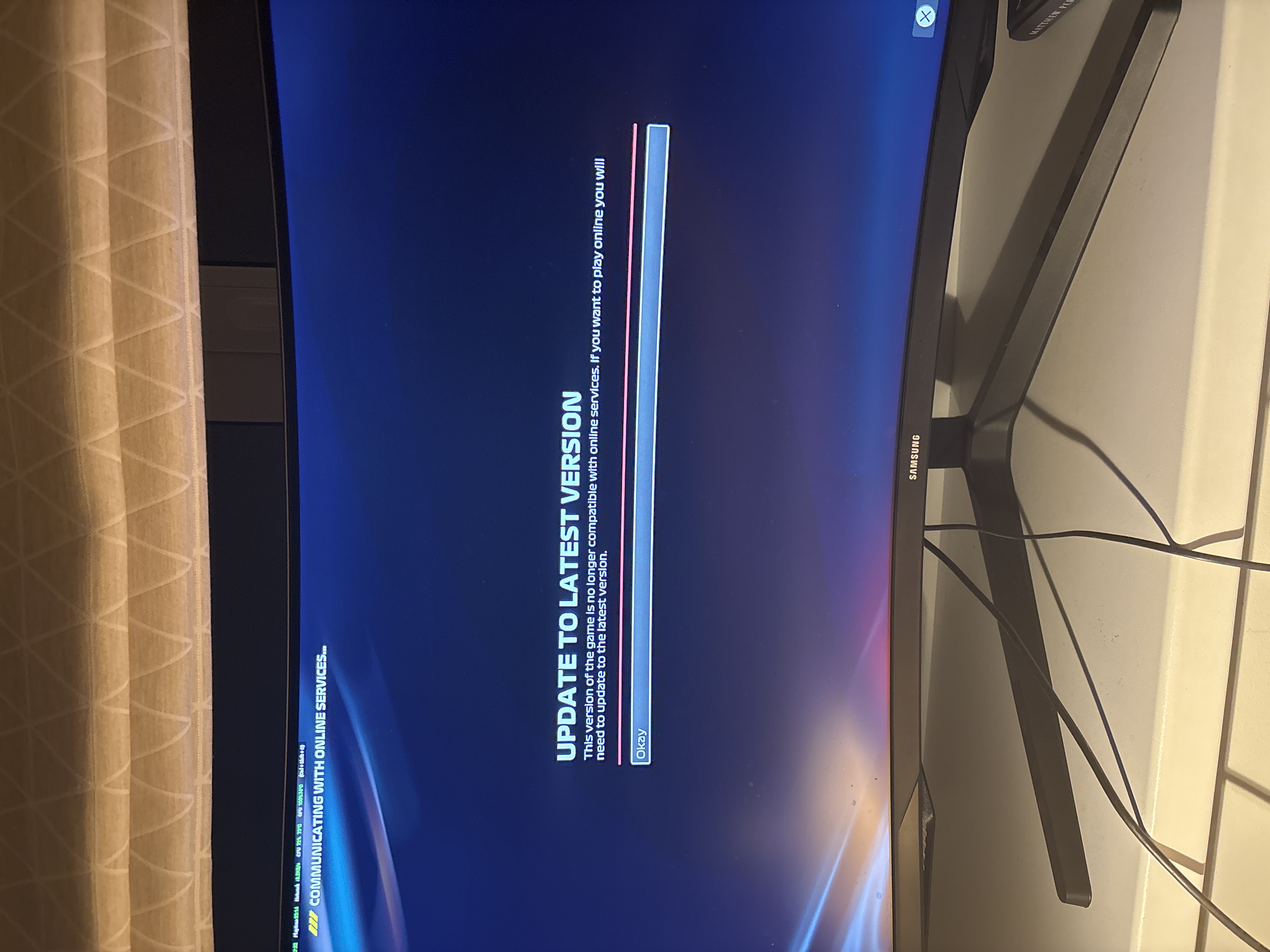
Ever since the new update came out, this message has been popping out every time and I can't connect online. There's no option for me to update the game at all on Steam. I've tried clearing download cache, verified game files, and even reinstalled it - still it doesn't update for me. Any solution to this?
Ideas
Update to Latest Version Bug

12 Comments
 NotStabz24 hours agoNew Spectator
Still no solutions up till now, anyone with solution please don't hesitate to comment!
- Tomas_ont0p2 days agoNew Spectator
same to me everything the same
- Tomas_ont0p2 days agoNew Spectator
i have f1 25 on pc on steam can someone help?
- Tomas_ont0p2 days agoNew Spectator
i have the same problem steam pc anyone finna help?
- negr4so4 days agoNew Spectator
I bought F1 25 on Steam about a week ago, and when I launch the game it tells me that I need to update to the latest version in order to play online. However, when I go to my library, it says there are no updates available. I also checked the game files’ integrity, and it reports that 3 files are missing and will be downloaded, but after they download and I launch the game again, the same issue appears: “update to latest version.
- negr4so4 days agoNew Spectator
Any solutions found?
- NotStabz9 days agoNew Spectator
No solutions yet, still require update for me.
- UpcastTNT11 days agoNew Spectator
EA games pls
- UpcastTNT11 days agoNew Spectator
My friend has the same problem have u found A solution yet by any chance
- SmokyAtom075 months agoRising Adventurer
If you bought it before the release and haven't updated it since then, it's probably due to that. It might not be, but it's a place to start!
On your home screen of the PS5, if you hover over the thumbnail for F1 25 and press start then there will be a Check for Updates option in the list.
As soon as you do that, it should say Added to Downloads and it'll start updating the latest version. It will probably restart the game so make sure you're not in the middle of something that isn't saved!
Of course, it might not be that, but hopefully you've either got the game working by now as I think this has been open a while, or this helps you if you haven't.
Featured Places
