
Just updated the sims 4 on my pc/laptop and now it’s displaying the controls on the left side. I have not messed with any settings at all, I even double checked to make sure I didn’t accidentally cha...
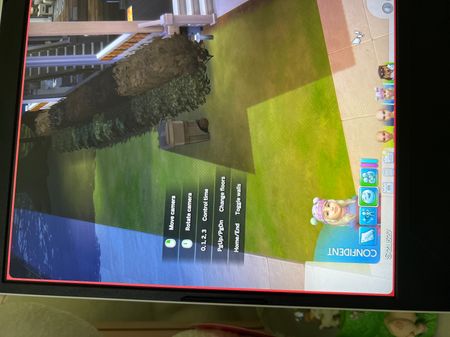

i’m currently having this same issue!

Go to Option Menu then scroll down to Game Options and click on Tutorial Tips.
Take the check mark out of Enable Help Center Icon and Control Legend and then apply the saved changes.

 The Sims Team