
Just updated the sims 4 on my pc/laptop and now it’s displaying the controls on the left side. I have not messed with any settings at all, I even double checked to make sure I didn’t accidentally cha...
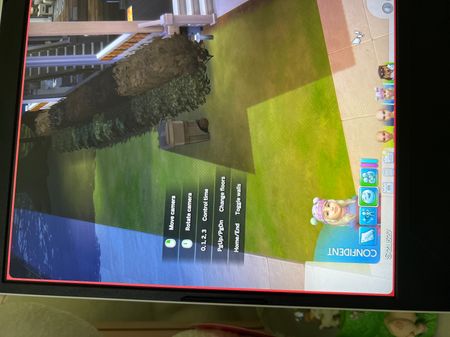

It's happened before and I was able to make it go away but I forgot how I did that, can someone help? That stupid control overlay thing? Thanks!
Okay, I remembered. You go click on the 3 dots at the top right corner to pull the menu down, you click on GAME OPTIONS and then TIPS AND TUTORIALS and I unticked ENABLE HELP CENTER ICON AND CONTROL LEGENDS........just in case others run into this issue and can't figure it out.

 The Sims Team