Ideas

blundin1996's avatar
blundin1996
Seasoned Newcomer
11 months ago
Status:
Under Investigation

Discovery Quests: Certain quests have blank text

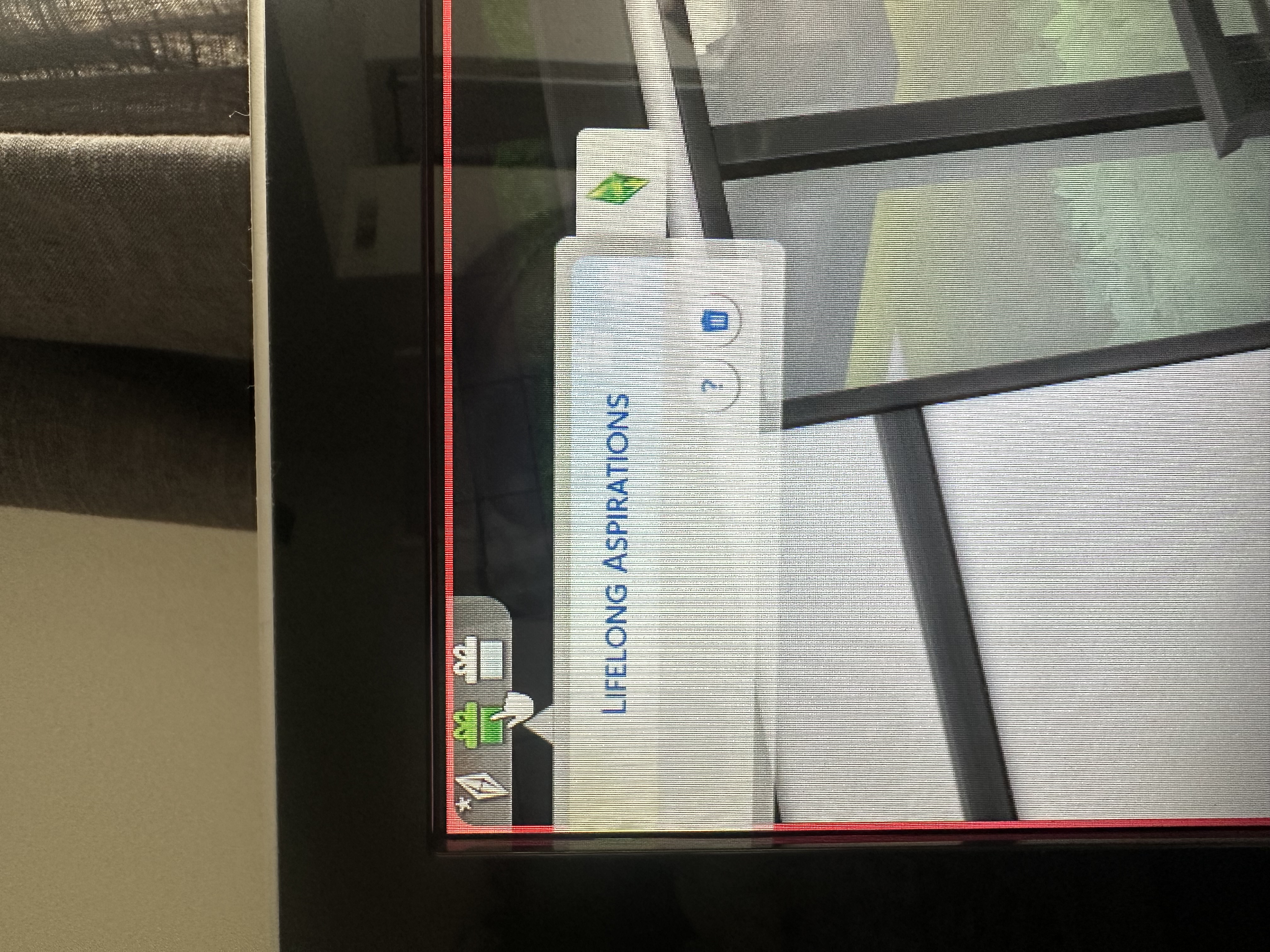
I’ve noticed that the different aspiration goals at the top left corner are blank after just a few minutes of playing the game. It starts out in a new game fine, but every time I go back into an existing one the tabs are present but no goals are visible. 

Edit By Crinrict: Adjusted Title

38 Comments

  • are2wild4u's avatar
    are2wild4u
    Seasoned Newcomer
    7 months ago

    I too am having this issue.  I have it with and without mods.  I only use Curseforge for modding (to make things simplier) but I thought it was a Better BuildBuy issue and reinstalled that one manually.  It fixed other UI issues I was having but not the discovery quests being blank. I too would say it started after I used build mode from the manage worlds screen to build on the lot.

    PC - EA APP - I don't have the most recent 3 Expansions or Journey to Batuu but have kept the game updated. I am missing some kits but otherwise am running all the rest of the Expansions, Game packs, and Stuff packs.  It could be related to an update but it's related to a specific new pack like Businesses and Hobbies since I don't have that one.

  • I am not sure what these are called, but I am unable to view the tasks, they remain blank, and I have been unable to fix them. I attempted to delete "localthumbcache.package" as someone else suggested, but it hasn't worked. I wish to be able to view and complete them, not remove them.

  • SpookySarah95's avatar
    SpookySarah95
    Seasoned Newcomer
    6 months ago

    Hi, currently having this issue on the PS4. I have base game only and all discovery quests are blank but the event ones are working fine. 

  • Joso49's avatar
    Joso49
    New Spectator
    6 months ago

    Yes thank you. It is working since the last patch

  • AtticusCrowe's avatar
    AtticusCrowe
    Rising Traveler
    4 months ago

    A bit late to the party, but this is a UI bug that effects all quests that have icons in that top corner. I had not played since they were introduced, and when I started a new game I was bombarded with like 6 of them. They were all fine at first, but later I noticed that I had to click them to get them to expand again, and when they did they were blank.

    I just saved and quit. When I relaunched it was fine. Most UI issues that are still currently affecting the game are fixed this way.

  • Hi! I have the simplest solution that 100% worked for me:

    Go to Game Options and click on the "Tutorial and Tips" tab. There, under the "Discovery Quests" section, click on "Reset Discovery Quests".

    This will reset all your discovery quests as if you never completed any of them, but the tasks will be showing again :)

    Have fun!

Featured Places

Node avatar for The Sims 4 Bug Reports

The Sims 4 Bug Reports

Report bugs for The Sims 4 on PC, Mac, Playstation, and Xbox.Latest Activity: 8 minutes ago
4,118 Posts