New to the EA Forums? Start here! ✨
Hey Gamers Welcome to the EA Community Forums. There's a lot to dive into here, so we've prepped this nifty thread directory to help you find answers and info faster. Let's get started!! 🫶 Click on the links below to jump to those guides. 👇 Quick picks I’m new and want to understand how the forums work I need help and want the right next step I need EA Account help and guidance I’m missing content and need the right path Thread Directory for FAQs EA Forums What are the EA Forums? What can the staff help with here? What is the best board to post in? Where have my posts gone? What do the forum roles stand for? What are Superusers? EA Support and Support Cases How can I contact EA Support? Where can I find my past Support Cases? EA Account Info and Guidance How to link/unlink them? How to appeal a ban or suspension? How to recover a hacked EA account? How can I reactivate a disabled EA account? EA App and Content What do I do for missing content?39Views0likes0Comments
Not Receiving Account Verification Code
I cannot receive my account verification code via email. My email and password are correct. It simply won't send the verification code to my email. I tried contacting EA customer support, but when I press "Contact Us" it is just a chatbot that sends me in an infinite loop of binary "Yes" and "No" without any option to speak to a human. How do I fix this?14Views0likes1Comment
EA Account compromized, EA Help doesn't help
I have an active Xbox account and games purchased via Xbox / Microsoft store. Xbox account is linked to some EA Account. Everything was fine until recently. Few weeks ago when I log-in Battlefield6 or EA Sports FC24 games I get a pop-up for the verification code which is sent to unknown email "so****@gmail.com". This is not my email, I never used or had an email starting with "so...". So I cannot log-in on Xbox. The same issue I have when I try to log-in with Xbox account on the EA web - it sends codes to the email I do not own and I cannot log in. The EA Account I am using now, when posting this message, is based on the same email as my Microsoft / Xbox account. Although when I try to connect my Xbox account, which is based on the same email, I get the error: " Linked Accounts Found. Your accounts can’t be linked because your Xbox account .... already linked to your EA Account for so*****@gmail.com. An EA Account can only be linked to one Xbox account in its lifetime." I suspect that my Xbox connected to compromised EA Account where somebody put email address I do not use. I tried to speak with EA Help multiple times, but no resolution. AI chat loops and breaks at first steps. Live agents follow some strict scripts which do not cover such case. I provide all my emails, invoices, purchase confirmations, IP addresses etc., but EA Help refuse to change anything in the compromised account. Result: I cannot connect with Xbox account. I cannot re-link Xbox account to my actual email and actual EA Account. Appreciate any ideas on how to re-gain access to my purchased games.57Views0likes3CommentsAccount Shows "Does Not Exist"
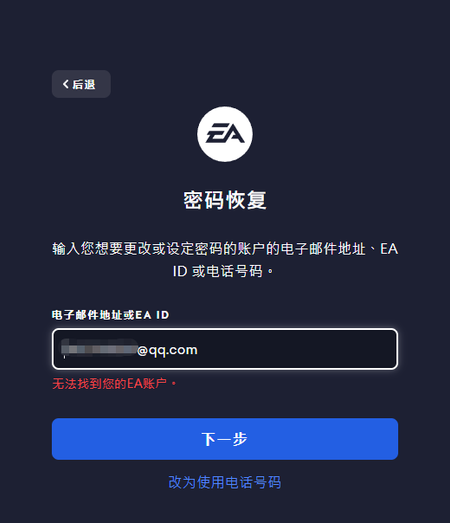
Hello everyone, I’m in desperate need of help with my EA account issue—I’ve tried contacting support but haven’t gotten a solution yet, so I’m reaching out to the community hoping someone can guide me or EA staff can see this. Here’s the full situation: My original EA account suddenly started showing "Incorrect password" when I tried to log in. I thought I might have entered the wrong password, so I immediately tried to reset my password. However, when I attempted to recover my password by entering my registered email, phone number, or even my EA ID, the system consistently showed "Account does not exist". I can’t access it through the EA App, the official EA website, or any other EA platform—every attempt to log in or recover the password results in the same frustrating error message. This account is linked to my Steam account. When I tried to launch Apex Legends via Steam today, it showed that my EA account (the original one) is banned. This is confusing because I can’t even log into the EA platform to check the ban reason, appeal, or verify any details—since the account is "non-existent" on EA’s end. I have important in-game purchases and top-ups on this original account: I’ve made multiple in-game purchases for Apex Legends over time. All my game progress, skins, and top-up records are tied to this account, which I’ve been using for a long time, and losing access to it means losing everything I’ve invested. I had to register this new EA account just to post this求助 and communicate with support, because my original account is completely inaccessible. I’m really confused and frustrated—how can an account be banned on Steam but show "does not exist" on EA’s own platforms? I didn’t violate any EA or Apex Legends terms of service, and I have no idea why this happened. Does anyone have a similar experience? Or can EA support staff help me verify my original account, check the ban status, and recover my account? I can provide any necessary information (like purchase receipts, account email, Steam link proof) to prove ownership. Thank you so much for any help or guidance—this account means a lot to me, and I don’t want to lose all my progress and purchases.4Views0likes0Comments
Recently merged 2 EA accounts and I can't link my Steam account until next year.
Like the title said, I can't link my Steam to my now single EA account. I played the BF6 Beta and completed all challenges, so does that mean screw me until I can finally link my Steam to my EA account or what? Support didn't help me and said EA itself can't do anything about it until the cooling period or whatever is over. Update: My cooling period is over, but it is not letting me connect my Steam to my only EA account. I used my login info for my old account to see if it's still up and is still connected to my Steam account, but it logs me into my active account and I'm assuming that means that 2nd account has been merged. Why is it still refusing to let me reconnect my Steam account?96Views0likes3Comments
Formal Appeal: Account Compromised by Hacker & Technical Barrier to Support
Dear TOS Team, I am writing to you with a heavy heart to seek a final, fair review of my account . My account was unfortunately compromised by a hacker, and any violations that occurred were not my doing. Since then, I have been attempting to recover my account with a sincere and cooperative attitude. However, instead of help, I have encountered a "dead loop" within your system and dismissive treatment from the support staff. The Technical Barrier (System Bug): The webform strictly requires me to select a record from my "Ban History" to proceed. However, my history does not display the relevant case, making it impossible for me to submit a formal appeal. I have tried repeatedly, only to be blocked by this technical glitch. Failure of Front-line Support: When I sought help for this bug, the support agent provided cold, scripted responses (see attached screenshots). I was told "no one can help you" and "only you can submit," completely ignoring the fact that your own system is preventing me from doing so. This dismissive attitude has been deeply hurtful and feels like a denial of my right to a fair appeal. My Sincere Request: I have always valued this community and followed the rules. This account is important to me, and I am a victim of a security breach. I kindly request: A manual review of my account's login activity to verify the unauthorized access. An alternative channel to submit my evidence, bypassing the broken webform. A fair chance to restore my account standing. I trust the TOS team will see the injustice in this situation and help me remove this "thorn" that has been deeply troubling me. I am ready to provide any proof of identity and account ownership needed. Thank you for your time and for upholding the fairness of the platform. Sincerely, Dany18Views0likes1CommentEA NextStep, a step back
I am starting to think that they know what they are doing, seeing that the forum was the only resource that popped up when I was researching a problem I was pleasantly surprised to see a "contact us" button at the bottom of the support page. Now I was fully expecting an AI assistant, at least before speaking with support staff or having a ticket created, but what EA has created is well beyond any other assistant I have ever had the displeasure of navigating. Every single prompt from EA NextStep comes with little to no regard of the information you entered into the window previously. Beyond stating your name multiple times be prepared to state your problem, game, and system multiple times in repeat. And for those of you as gullible as me, hoping, praying to at least have an actual ticket created and maybe get a chance to have another person review your problem, let me save you the effort. At the end of each session with EA NextStep it will prompt you to the EA "Self Help" guide where the AI chose an article for you to read and hopefully fix the problem yourself, the only problem, it doesn't actually listen to your problem. I was trying to solve the random EA app failure on PC and beyond having to give it all of the important information multiple times, I was offered a generic "game help" article, a "login help" article, and a "connectivity troubleshooting" article, none of which actually addressed the problem or the fact that I had attempted many of the steps those articles were suggesting before trying to find more help. If anyone has a solution to the EA app bug, I would be very appreciative, but I will not hold my breath on EA finding the solution, as the multitude of threads on and off of this site complaining about the exact issue I was having, and the EA proposed solution, if all else fails, factory reset, and the EA app and EA games are just not worth that effort.46Views2likes6CommentsLost access to purchased content after misleading support guidance
Hello, I am requesting help regarding an EA account linking situation. During a support interaction, I changed the linked PlayStation account while trying to resolve an issue. The irreversible consequences and loss of access to my existing progress and purchased content were explained only after I had already proceeded with the change. If I had been clearly warned beforehand, I would not have performed the account switch. Support agents confirmed the 6-month relinking restriction, which currently prevents me from accessing licensed content that still exists on my original EA account. I am not requesting a policy bypass, but I kindly ask if this case can be reviewed considering that the action was taken following support guidance without full prior warning. Thank you for any assistance or review.62Views0likes2Comments