Content not installing on marketplace after restoring license
My game has been crashing every time I go to save my game or exit to manage worlds so I took the advice I’ve seen on the forum here and restored my licenses. I’ve re-installed every single pack I needed to however when I go to the marketplace most of my packs are still showing as uninstalled. I’ve included screenshots to show the issue, any advice would be great as I cannot test the game to see if some of the crashing is fixed without the packs installed.Gallery Not Responding
I heard this was an ongoing issue on console and recently it was fixed. However, every time I open my gallery, it says “no results found” and “reset pack filters” all the time. I can’t look up anything, and if I click on a lot, my game freezes completely which forces me to close my game. I’m extremely frustrated, especially since this was a known issue and has been “fixed.”
Sims won't download certain packs
My Sims 4 just won't allow me to download specific packs. The packs are: Dine Out, Eco Lifestyle, and Dream Home Decorator I've tried: repairing the app, repairing the game, clearing the cache through both files and the app, and restarting my computer; and I've already took all the mods out of the folder before AND after trying these things (I tried each thing twice) Please help!!!!Cant download get to work pack after buying it from Steam
So, i had this pack from when i first started playing and i got it for free with the basegame, whixh i found a bit srange at the time but oh well, whaz do i know, so i didnt really further question it and just played with it. In every single one of my gamefiles. So now, its gone after the may 21th update. I looked this upp and someone on somw forum said thatw as a temporary thing and now u gotta buy it to play with it, so I did. Buuuut, when i went ingame it wasnt installedy so i thought id just have to restart my game and itd download. It still didnt, even though every previous pack I bought, did. Since then, ive tried pretty much every tip people on various forums gave for stuff like this (all like 2 years old though so idk). I tried repairing the game, deleting the cache from both steam and the ea app, redownloading the game multiple times, restarting my pc, yadayada, i honestyl dont know what to do anymore cuz i cant use my saves without this stupid pack. Everytime i try, Steam just tells me my content file is locked. Also, it laggs horribly for some reasonw hen it ran just fine before the update. (Also, if u have any further advice, try to keep it simple, i have no **bleep** clue how pcs or files etc work, i havnt had it for long and was nwver really allowed to use a pc before recently.)SolvedXBOX Packs missing
On the Xbox, on the storage for the Xbox I have all my packs and expansions installed. I open the game and they are not there. Asking me to pay for the packs I already have. I’ve double checked that it’s the same account, am I going to need to uninstall them and reinstall them? I don’t want lose anything in my current saves
Expansion don’t work
Royalty and legacy expansion don’t work. I baught it a while ago and it worked, now it don’t! It says it’s downloaded but it isn’t. I tried repairing it, reinstall it, reinstall the whole game, reinstall ea app - nothing works. Tried to contact ea with no answer… what do I do? It is baught and payed for!76Views0likes4CommentsSystem error for one specific lot in sims 4
I have one lot that I modified about a year ago, but I have since removed it from all of my saves; it just remains in my library. I recently tried to place it again, but every time I place it, I get a system error. Doesn't matter if it's furnished or unfurnished, occupied lot or not, it remains an error. I really don't want to have to rebuild it from scratch. Please help!
Flashing stripes on the screen after downloading parcels from the gallery
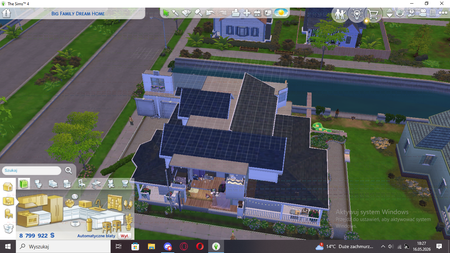
The problem started for me after the update on May 2, 2026. When I place a house from gallery , its textures initially look very plasticine-like—this is most noticeable with the trees, which look like trees made of Lego Duplo (this phase lasts about 1 minute). Then, once the textures have loaded, stripes start flickering on the whole screen. Sometimes, before the stripes appear, a brief diagram of something like the world pieces (see photo below) This issue isn't caused by my graphics card, because when I play without downloading the parcels, the problem doesn't occur, and it never occurred before the 2.05 update either. It also doesn't happen in other games. I play with mods disabled.